FanBasis Courses
Last updated: June 11, 2025
Your one-stop-shop to host, sell, and deliver their premium video content without piecing together tools. FanBasis' new Course Builder gives you exactly that.
🔧 Course Build-Out: Creating a Course
Navigate to your FanBasis Dashboard
Click Courses > Manage All Courses > "+ New Course"
Add:
Course name
Description
Thumbnail (optional)
Lesson titles + video uploads
Publish the course
⚠ Video Format & Requirements
MP4 preferred
Max 3-hour video per lesson
Link from: YouTube, Loom, Google Drive, Dropbox, OneDrive, Vimeo, Box
🔍 Seller Advantage: FanBasis vs. Whop FanBasis supports direct video links from major platforms. Whop does not — creators must upload files directly, making content harder to update and slower to launch.
Where to Access as a Seller
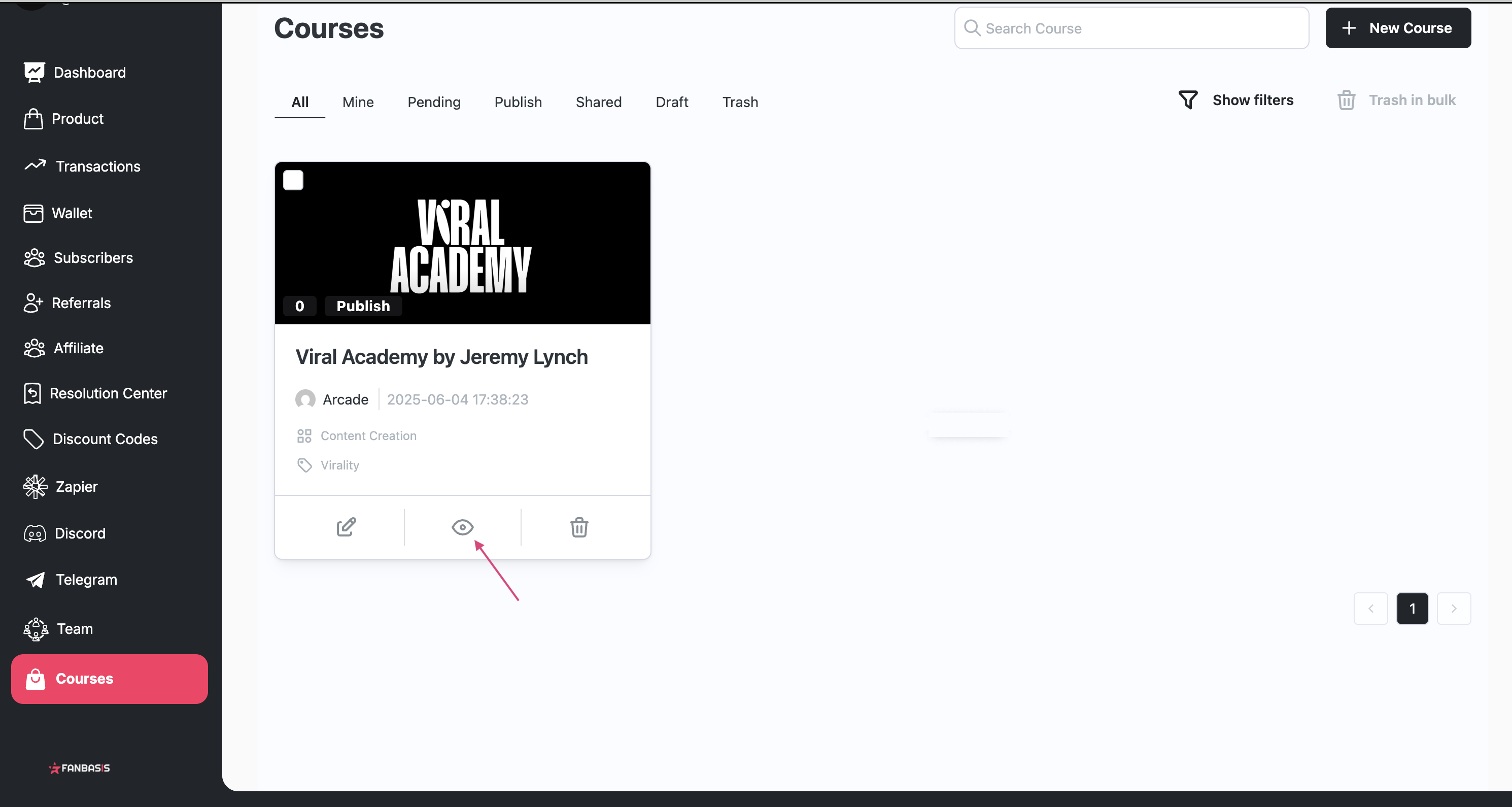
Go to Dashboard > Courses
View, edit, manage or preview any course
Preview as your customer
Use the "Preview" button within the course editor to see the course as a customer
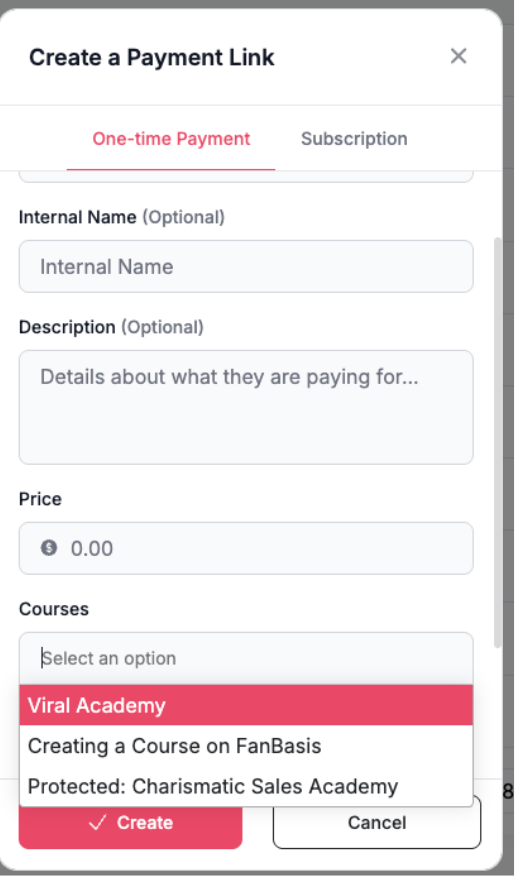
Add Course to a Payment Link
Go to Payment Links
Under Courses, choose your Course
Add price and details
Create
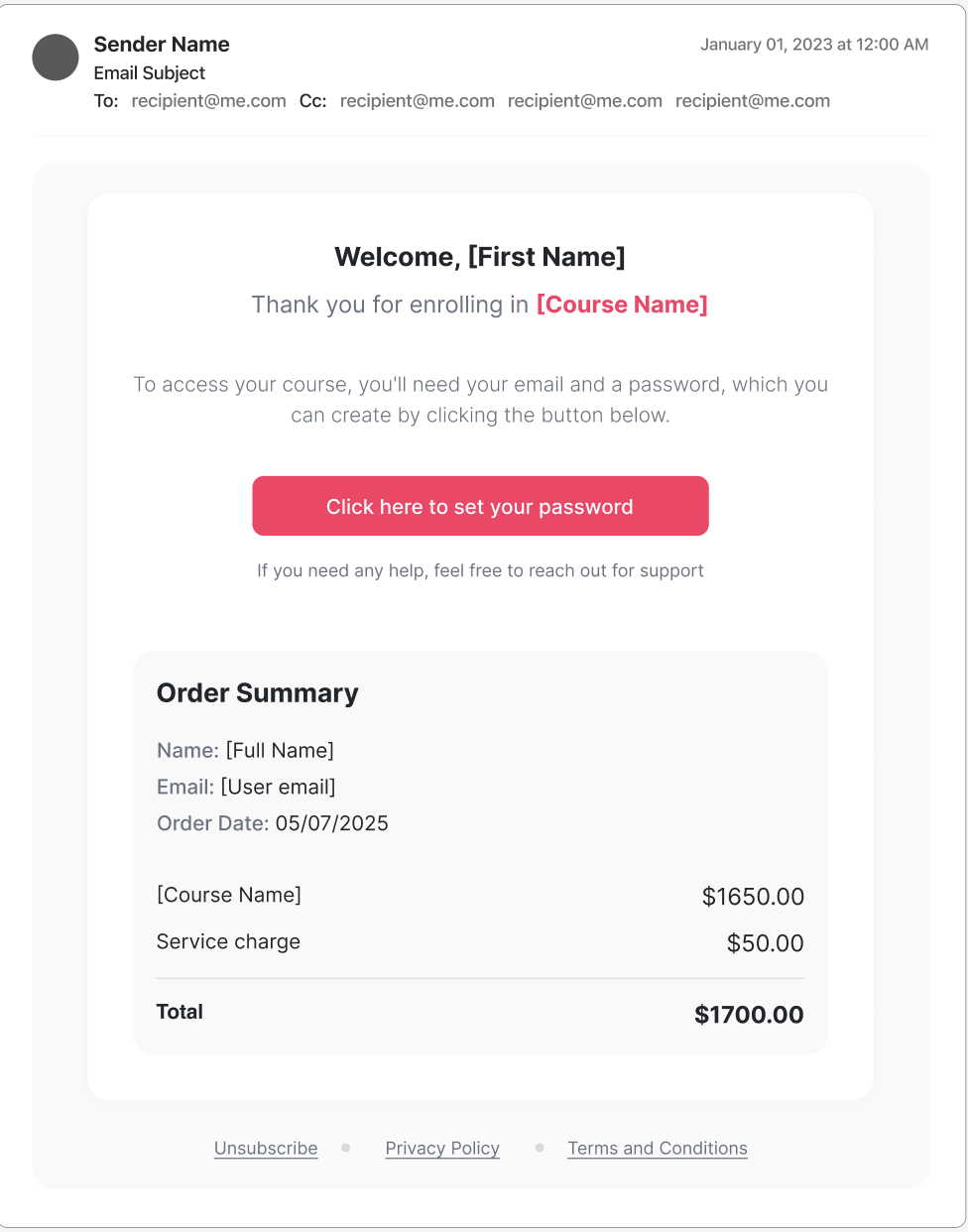
Customer Access to Courses After purchase:
Customer pays via your link
Receives email to create a FanBasis password
Logs in and sees course under Dashboard > My Purchases
🔍 Limited Rollout Note
Courses are being granted selectively during launch. If a seller doesn't see the option, have them reach out to support.