Affiliate Guide: How to Withdraw Available Balance + Dashboard Setup
Last updated: August 13, 2025
Welcome to FanBasis! This guide walks you through how to setup your dashboard, verify your phone number, and withdraw your commissions.
🔐 Step 1: Sign Up with the Seller
To begin, sign up with the seller whose product you are promoting. Once registered, you’ll be linked to your affiliate dashboard.
📥 Step 2: Log into Your Dashboard
Log in at any time by visiting Fanbasis.com:
Click “Log In” in the top right.
Use the email and password you signed up with.
Once logged in, you’ll see your Dashboard
Important Notes:
This is not a landing page — it’s your private affiliate dashboard.
Products on your dashboard are set by the seller. You cannot add or remove products.
Affiliate links are located at the bottom of each product card:
Share these directly with buyers.
Use them in social media, websites, or email buttons.
These links are tracked and tied to your commission status.
💵 Step 3: Commission & Withdrawals
Commissions become available 48 hours after a purchase.
Once you see a “COMMISSION AVAILABLE” balance on your dashboard, you can withdraw.
In order to initiate your first withdraw:
Set up your bank account, and
Verify your phone number (see below).
*VOIP is not supported
📱 Step 4: Phone Number Verification
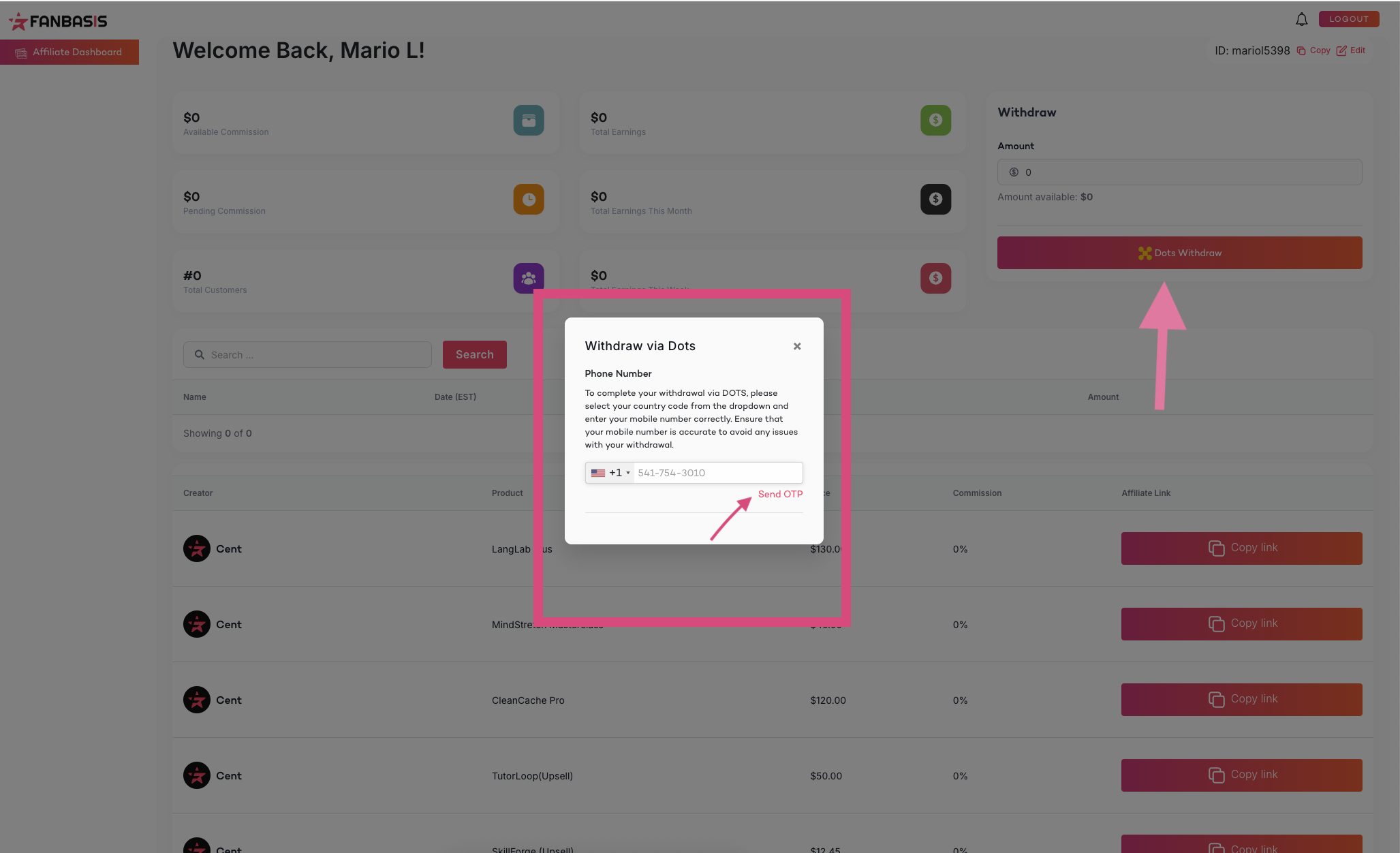
You must verify your phone number before withdrawing:
In your dashboard, click "Verify Phone Number".
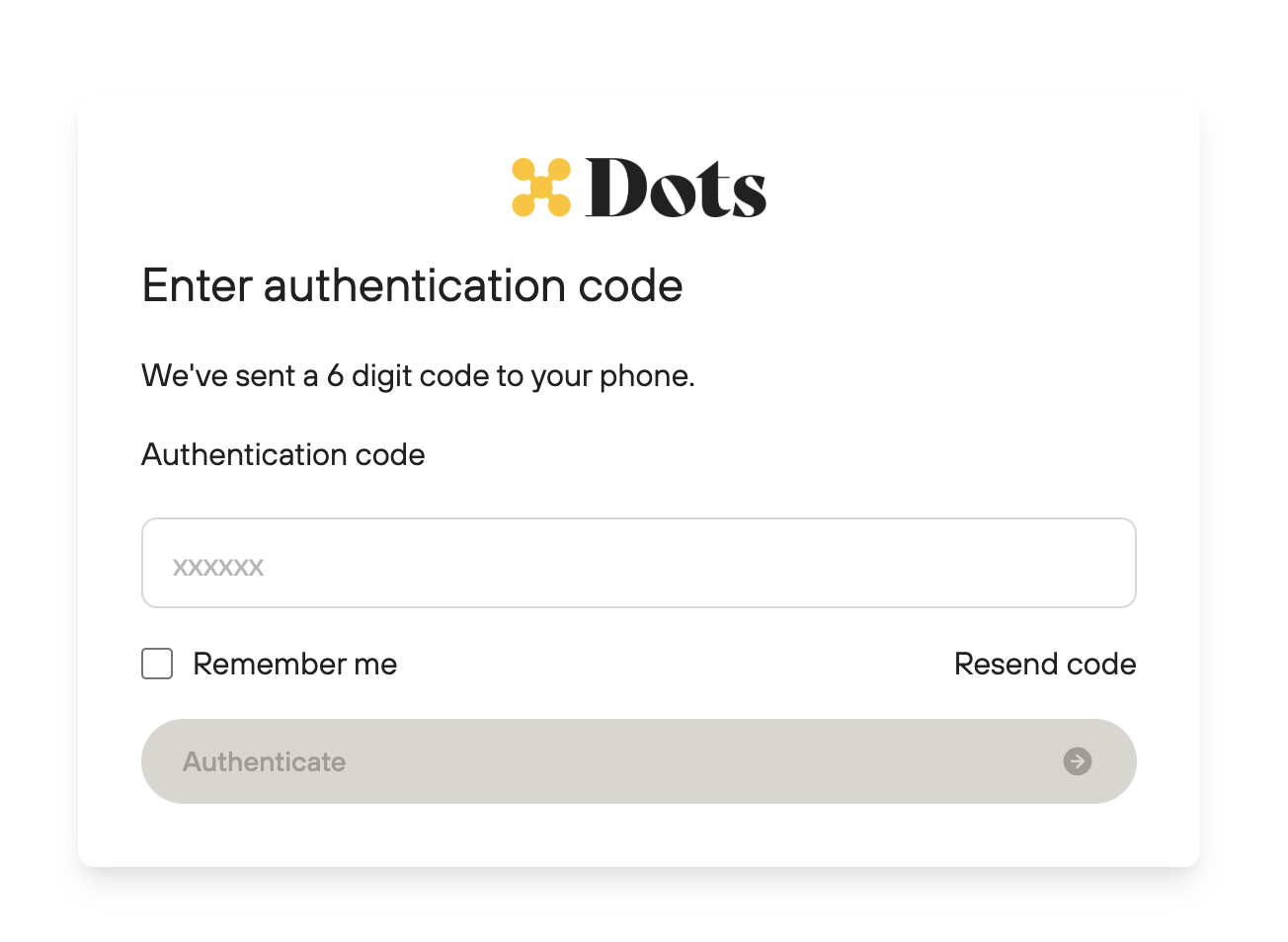
You’ll receive a verification code via SMS.
Enter the code to confirm.
Trouble verifying?
Email support@fanbasis.com and include:
Full Name
Email (used on your FanBasis account)
Business Affiliate Name
Country Code
Phone Number
Seller Name
FOR DOTS PHONE NUMBER CHANGE
Please complete this form: https://my.dots.dev/update-contacts
Note: This will trigger an ID verification. You will have to complete the verification step to allow for the phone number change.
💰 Using Dots for Withdrawals
FanBasis uses Dots to manage affiliate withdrawals.
✅ To withdraw:
You must have a verified phone number.
You must have a commission available.
You must enter and verify your banking details.
From your dashboard, select the Withdraw button.
Enter the amount you'd like to withdraw and submit.
To track your payout status, please visit https://my.dots.dev.
Initiated a withdraw, still not seeing my payout?
Please visit https://my.dots.dev to check your status and withdraw your funds to your bank account.
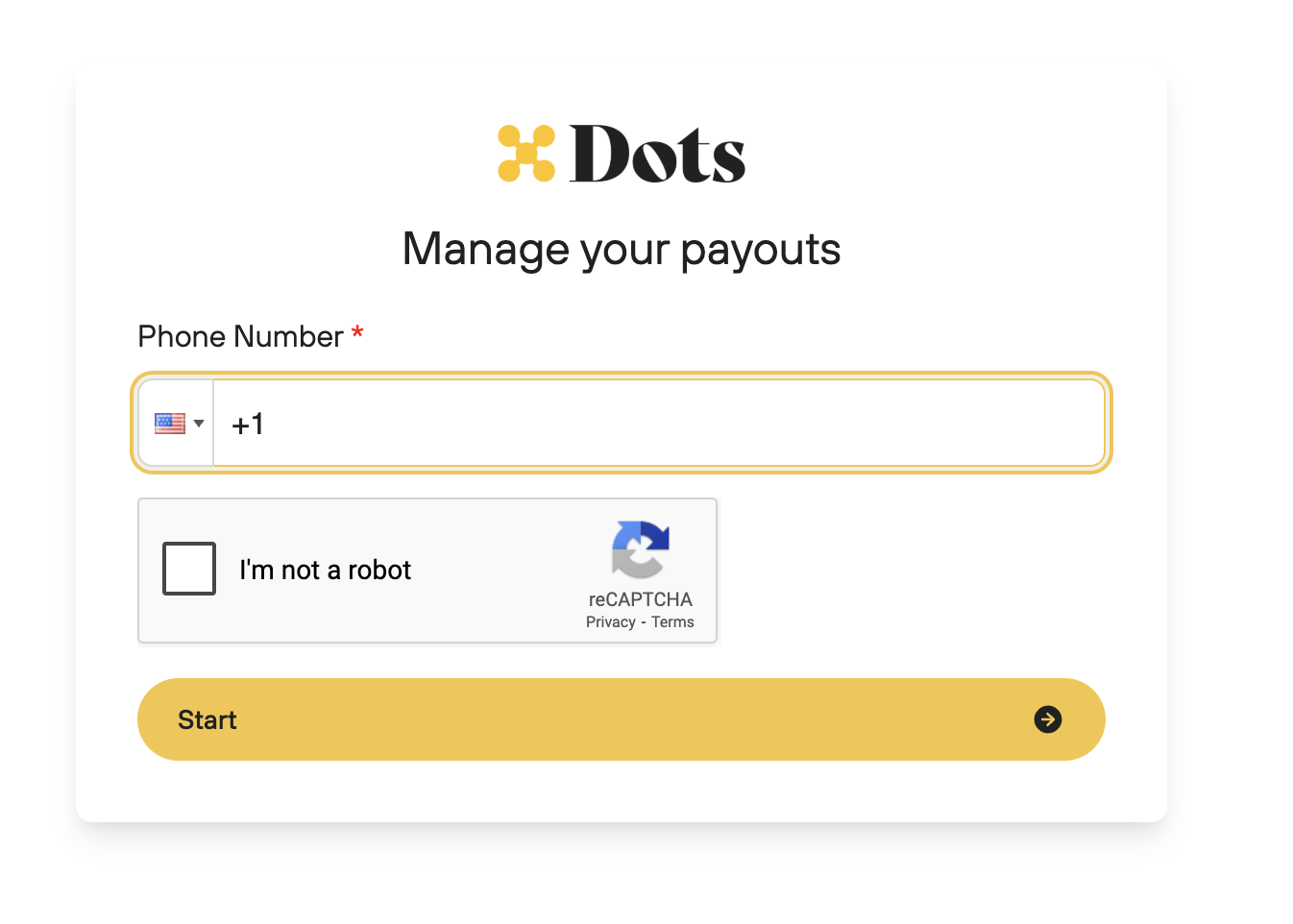
1. Enter your phone number
Verify your phone number
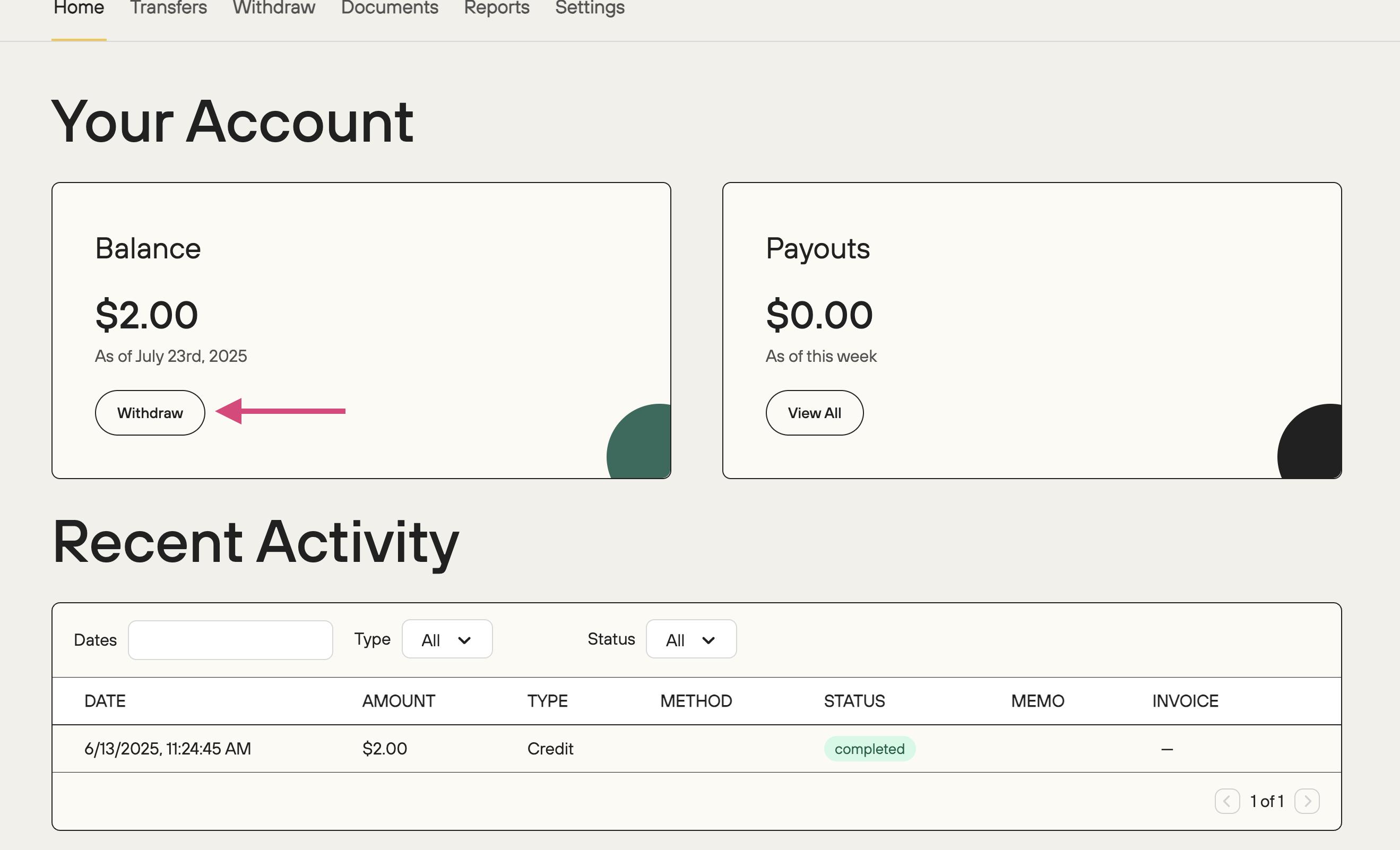
View your balance and click withdraw
Add your bank details and initiate payout
📧 Purchase Receipts
All customers who purchase through your affiliate link will receive an automated email receipt from FanBasis. No action is required from you. For course materials and order fulfillment that is done directly through the seller you're working with not FanBasis.
🔗 About Affiliate Links
Affiliate commissions are tied to the original link you shared.
We cannot transfer commissions from one link to another.
Always double-check that you're sharing the correct, original affiliate link tied to your account.
💬 Need Help?
Contact us at support@fanbasis.com for account or dashboard support.