Discord Integration with FanBasis
Last updated: July 9, 2025
FanBasis makes it easy to manage access to private Discord servers based on paid memberships. Once integrated, members will automatically be added or removed from your Discord server depending on their subscription status — no manual work needed.
How to Connect Your Discord Server
1. Go to the Discord tab from your FanBasis Dashboard.
2. Click Add Server to start the integration process.
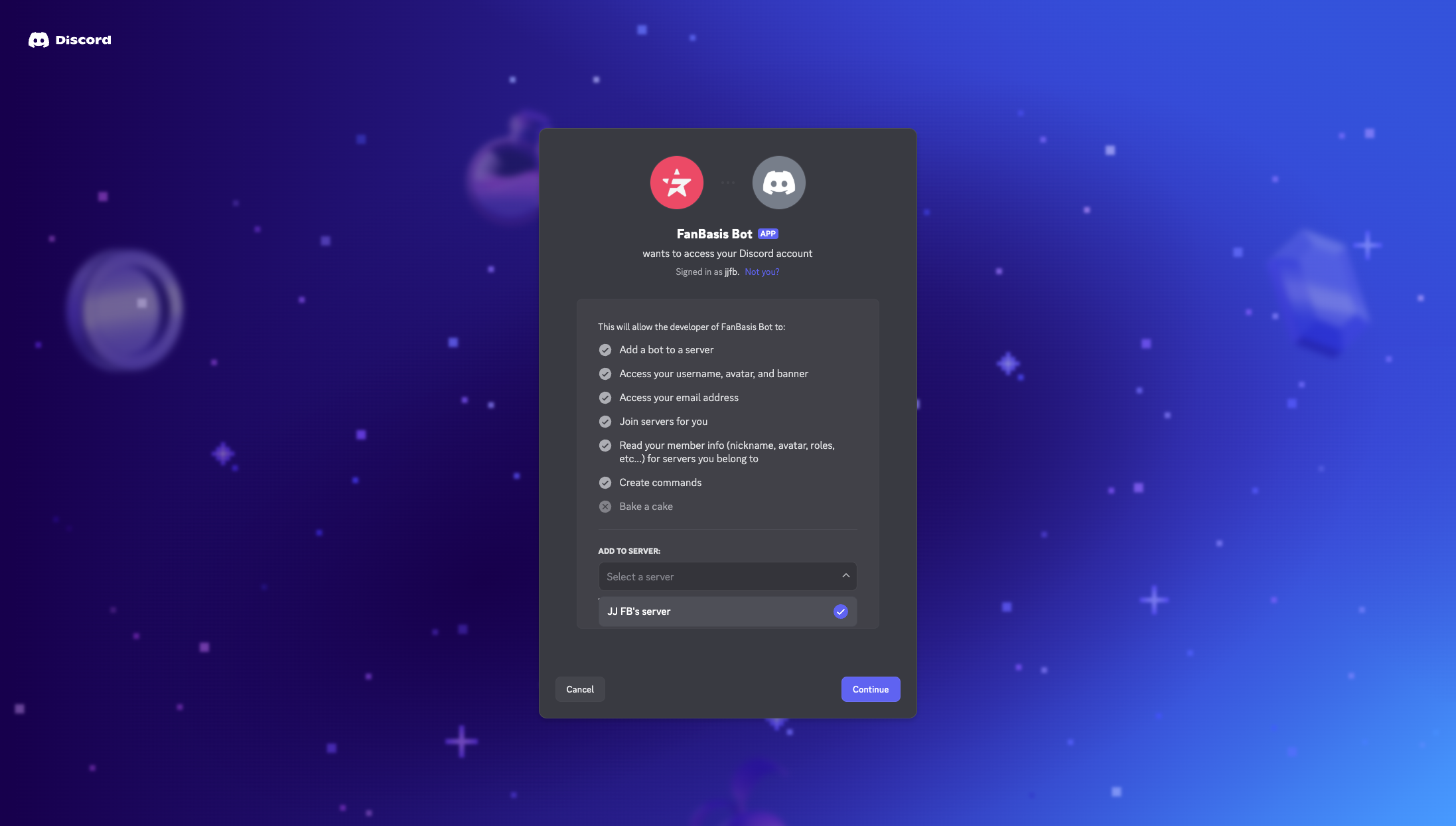
3. You'll be redirected to Discord’s authorization screen:
✅ Select your server
✅ Grant permissions requested by the FanBasis Bot
✅ Click Continue, then Authorize
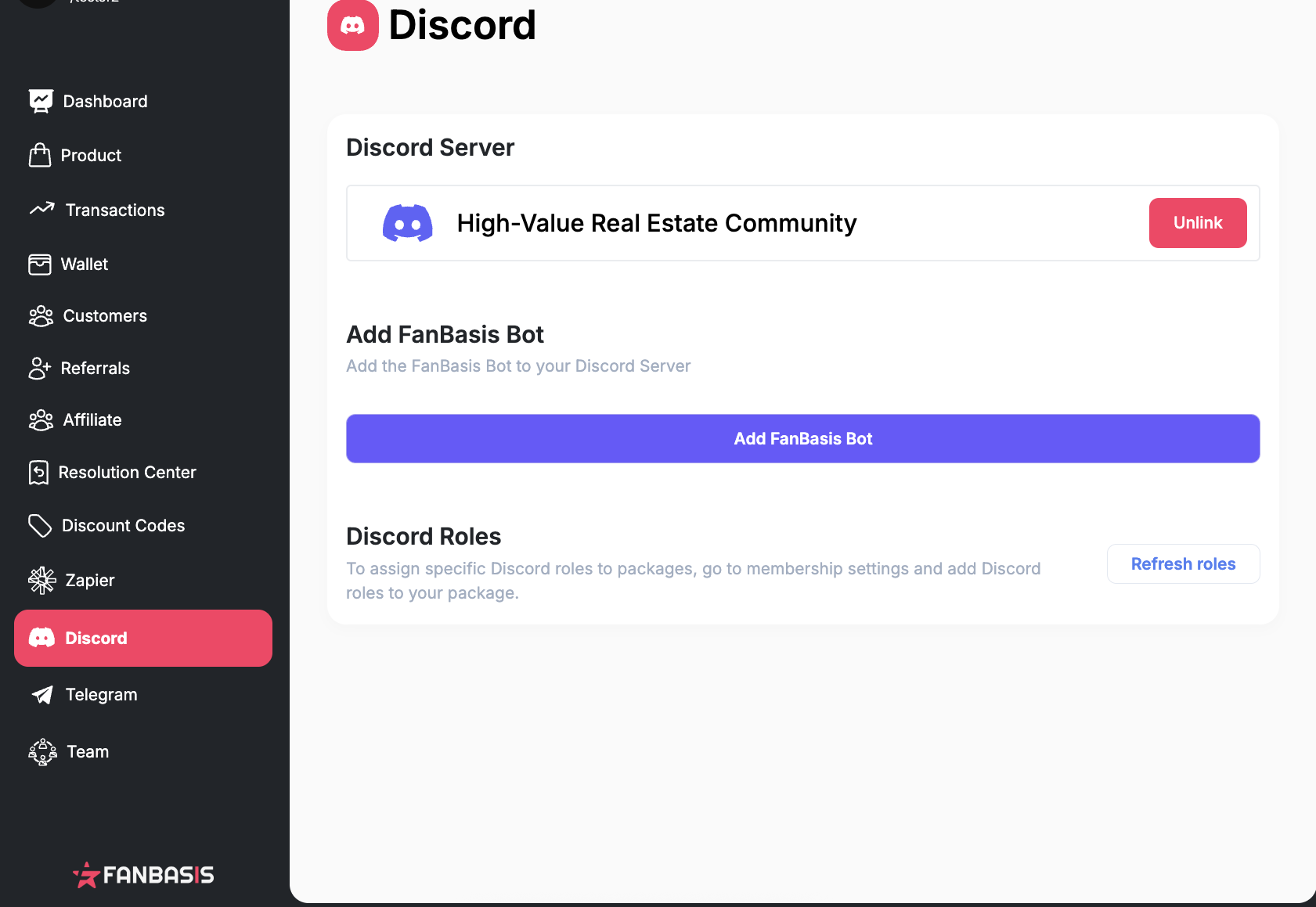
4. After authorizing, you’ll be redirected back to FanBasis — your server will now appear as connected.
What the Integration Does
Automatically assigns roles or grants access when someone subscribes
Automatically removes roles or access when their subscription ends
Perfect for:
Paid masterminds
Exclusive coaching groups
Premium chat communities
Common Issues
Missing permissions? Make sure the FanBasis Bot has Admin access on your Discord server, and is placed above all other roles.
Server not showing? You must be an owner or admin of the server to authorize bot access.
Need help? Contact support@fanbasis.com for troubleshooting.