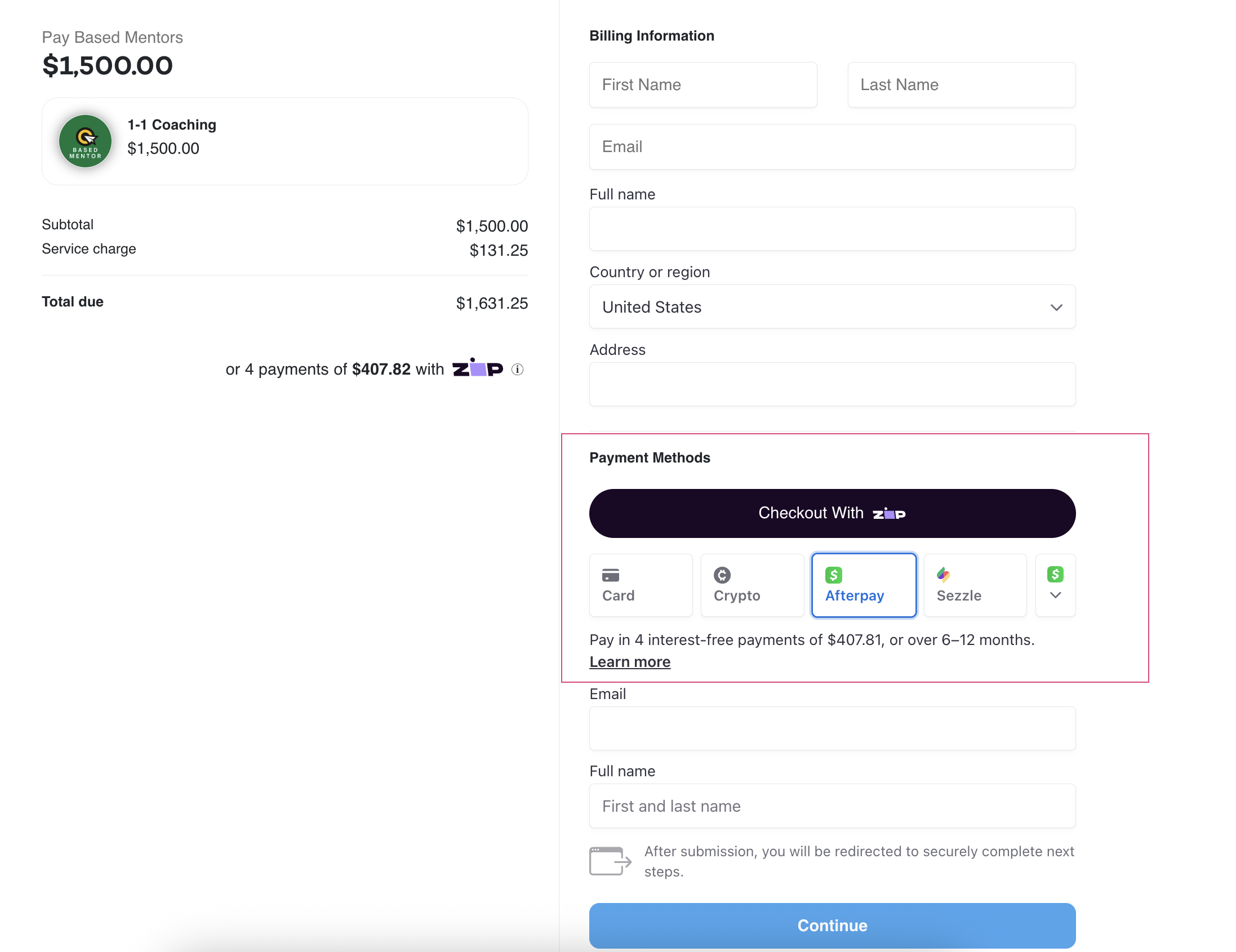
How to create a Product (Payment Link)
Last updated: January 6, 2026
Creating a payment link on Fanbasis is quick and simple. Whether you're selling a one-time product or a subscription service, follow the steps below to generate a custom payment link you can share with your customers or embed in your storefront.
1. Log In to Your Fanbasis Dashboard
Navigate to fanbasis.com and sign in with your account credentials.
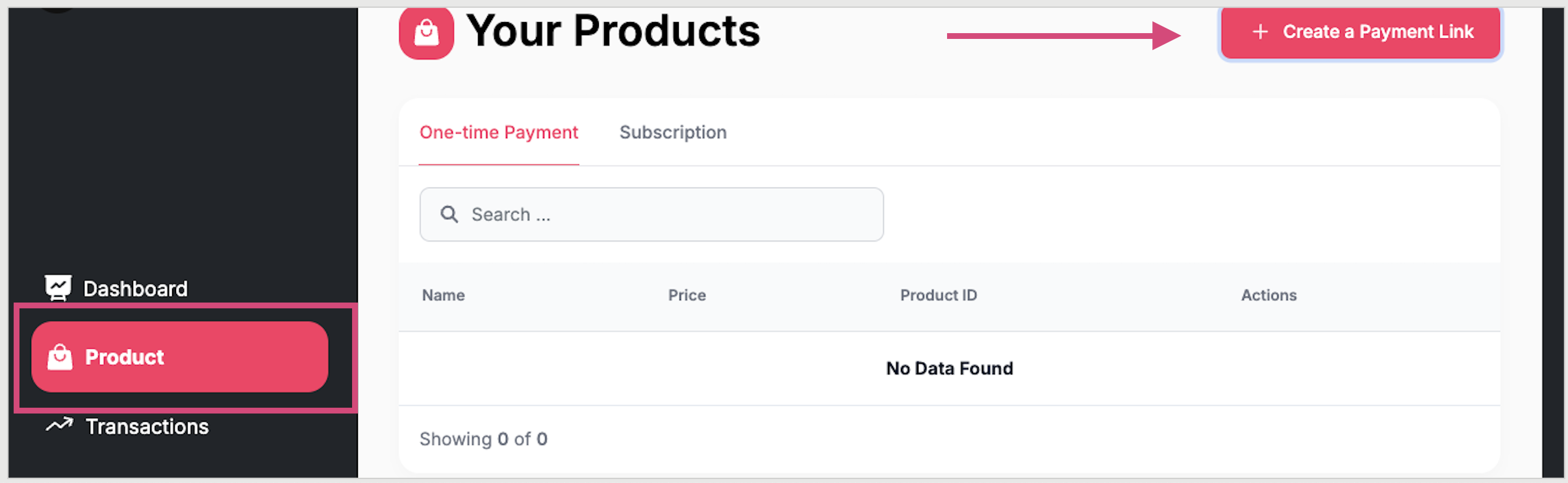
2. Go to the Products Tab
From the left-hand navigation panel, click on Products.
3. Click on Create Payment Link
This will allow you to generate a unique payment link tailored to your product or service.
4. Choose Payment Type
Select whether your product is a One-Time Payment or a Subscription.
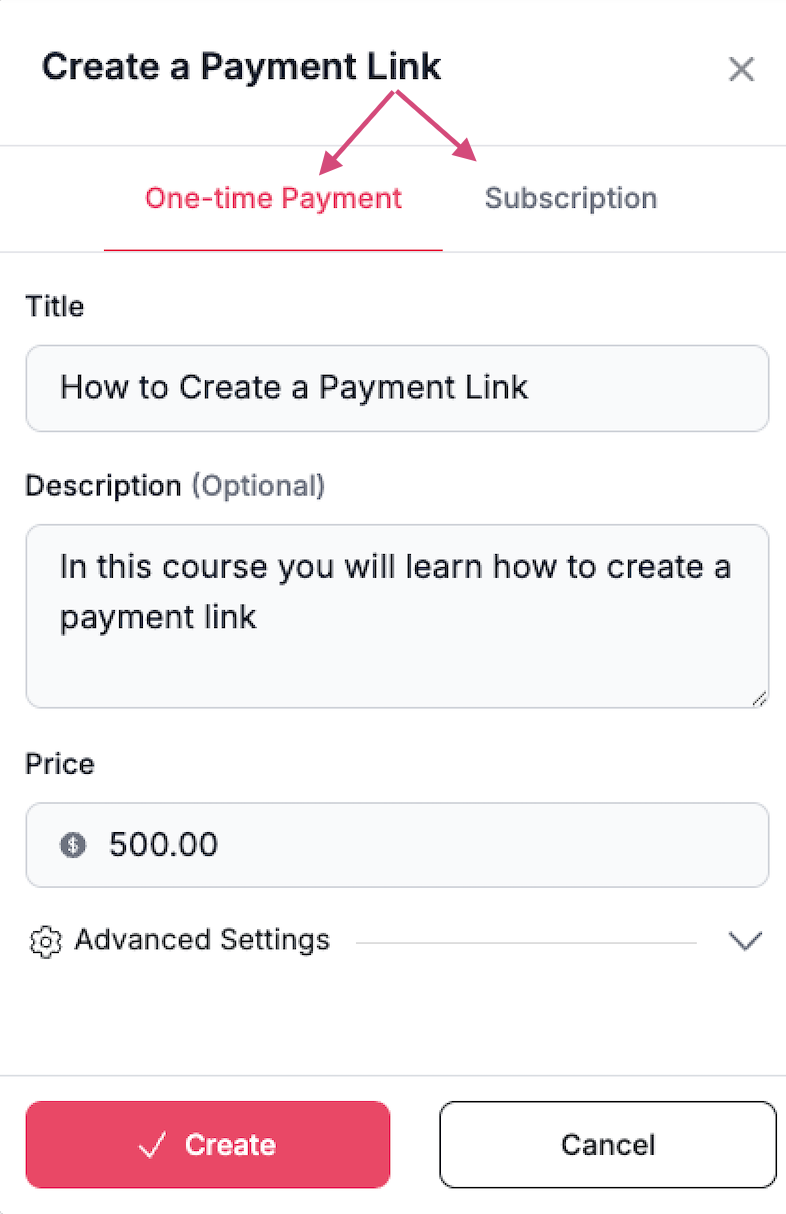
5. Fill in Product Details
Complete the form with:
Title – The name of your product or service
Description – Brief details about what you’re offering
Price – Set the amount customers will pay
6. Click Create
Once you’ve filled in the details, click the Create button to generate your payment link.
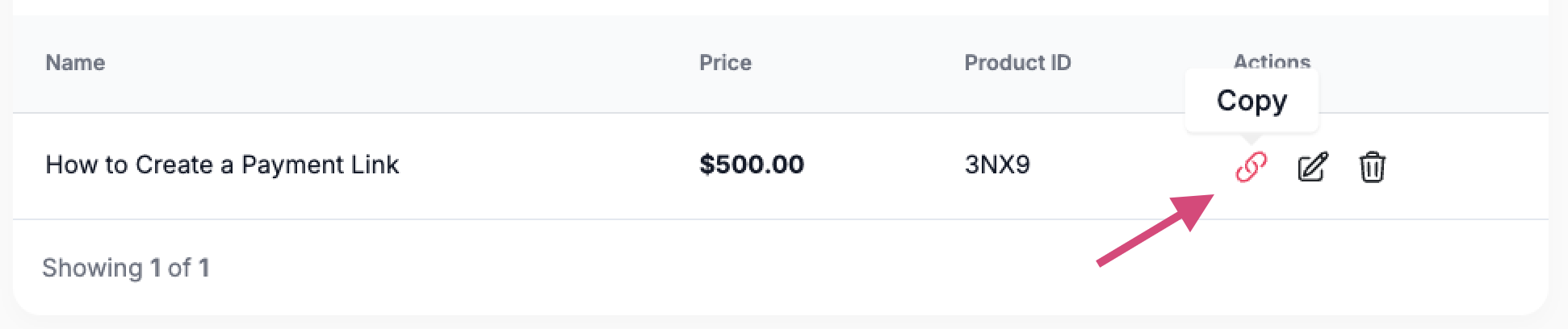
7. Copy and Share Your Link
Hover over the link icon next to your new product to copy the payment link.
You can now:
Send the link directly to your customers
Embed it on your website or storefront
🔍 Testing the Link (Recommended)
If you’re currently logged in to Fanbasis, open an Incognito Window or log out to test the customer experience.
This ensures you're seeing exactly what your buyers will see.
Suggestion
For subscriptions, clearly outline what customers will receive and how often they’ll be billed.
How do I set up a payment plan?
Once your payment link is created, your customer will have the option to select the buy now pay later option (like Zip, Sezzle) at checkout. Your account must be approved and in good-standing in order for the payment links to work.