How to add team members to your account
Last updated: October 15, 2025
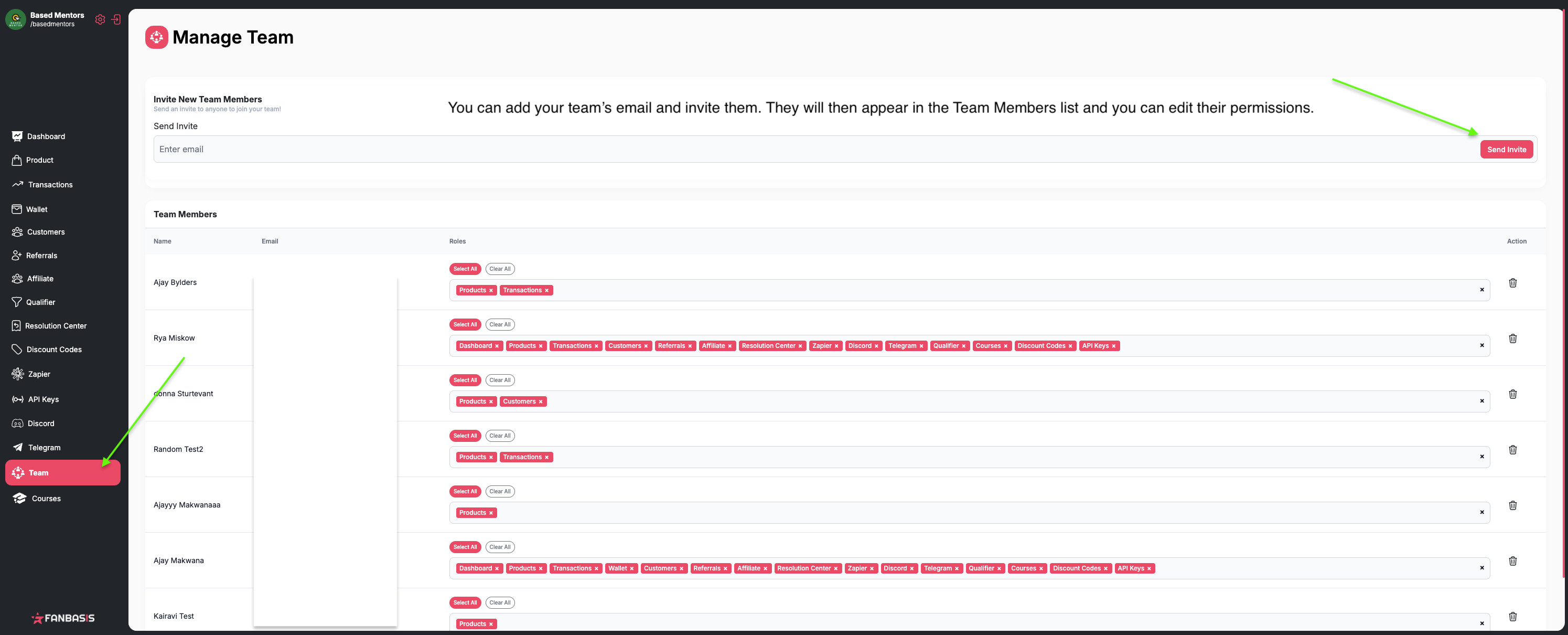
You can easily add team members to your account and control their access permissions through the Team tab in your dashboard.
Adding Team Members
To add team members to your account:
Navigate to the Team tab in your dashboard
Add your team members' email addresses
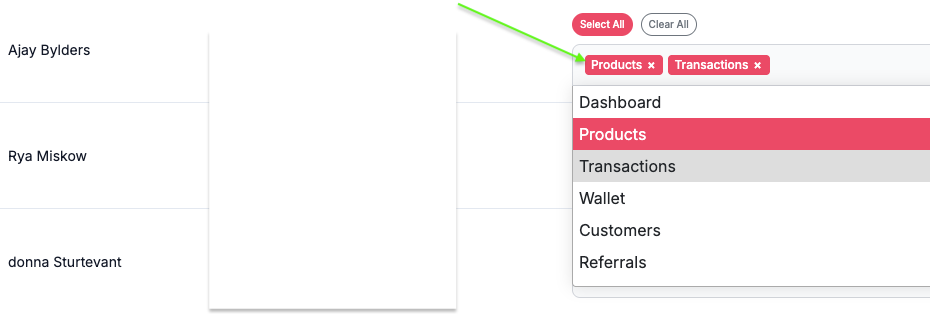
Set the appropriate permissions for each team member
Send the invitations - team members will receive an email invite to access the account
Setting Permissions
When adding team members, you can choose which sections they'll have access to, such as:
Product tab for payment links
Dashboard for overview
Transactions
and more!
Admin Access Required
Important: You must be logged in as the admin account to access the Team tab and add team members. If you don't see the Team tab option, make sure you're logged in with your admin credentials.
Account Privacy
By default, you are the only one with access to your account. Team members will only have access to the specific sections you grant them permissions for when you add them through the Team tab.