Manual Rebill (Card on File)
Last updated: April 25, 2026
Introducing Card on File
What is Card on File?
Card on File is a feature that gives creators more flexibility and control over when and how payments are processed from subscribers. Instead of relying on automatic, scheduled payments, you now have the option to manually trigger payments.
This is particularly useful for creators using a pay-per-lead or custom billing approach.
How to enable Card on FIle
Please contact support to get this feature enabled.
How to Use Card on File
Customer Checkout:
At checkout, subscribers cards save on file automatically once they click "pay".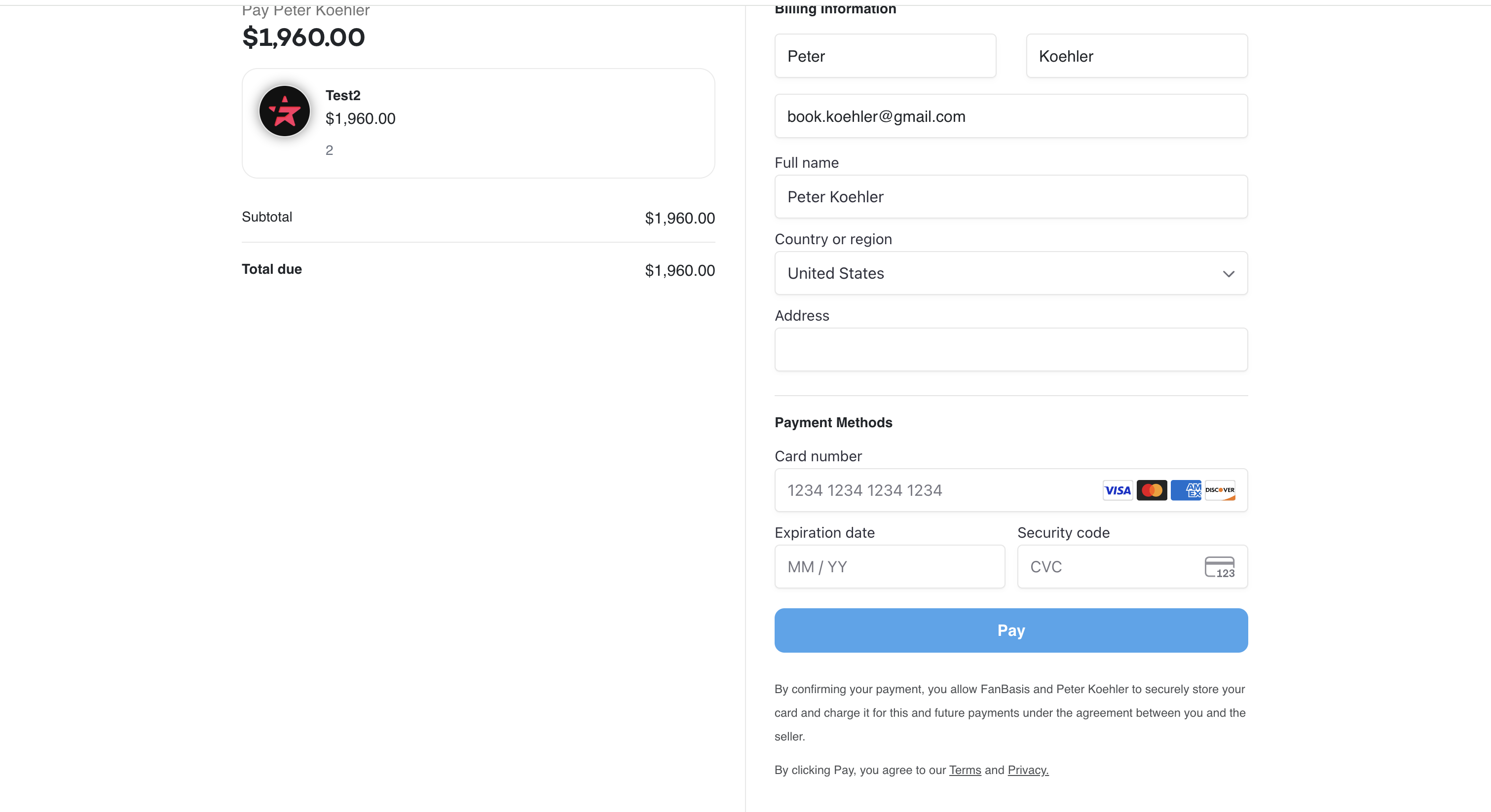
Manually Charge a Subscriber:
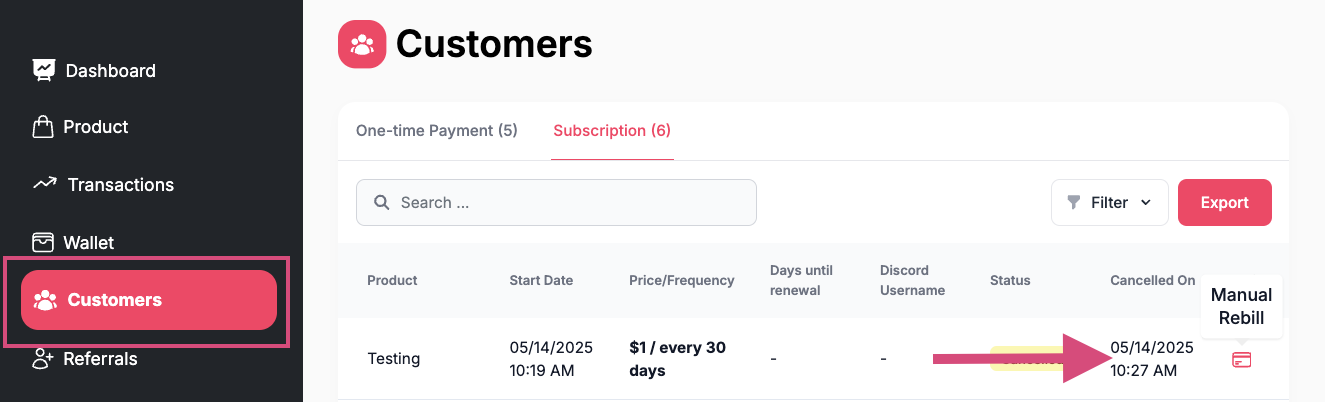
Navigate to the Customers tab in your dashboard.
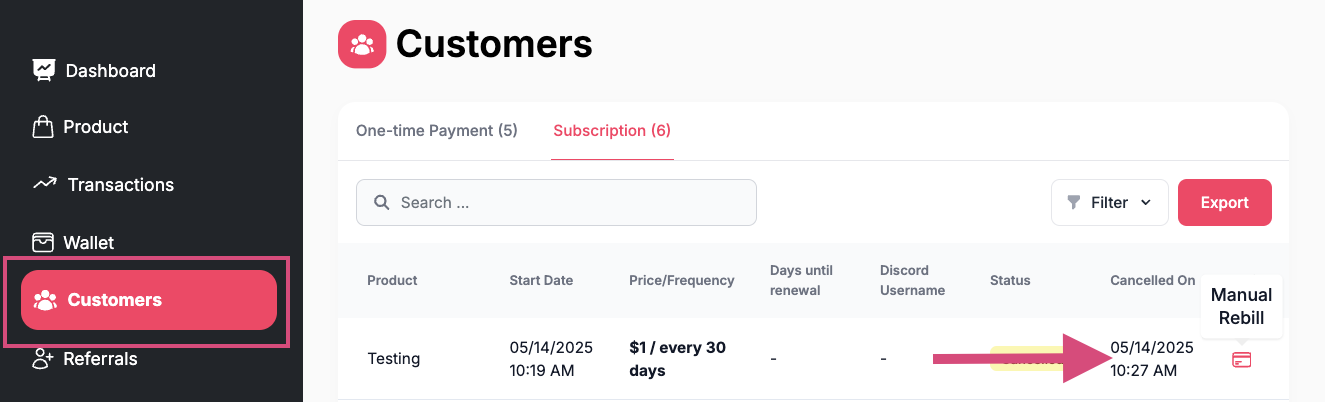
Search for the subscriber you'd like to charge.
Click the credit card icon next to their name.
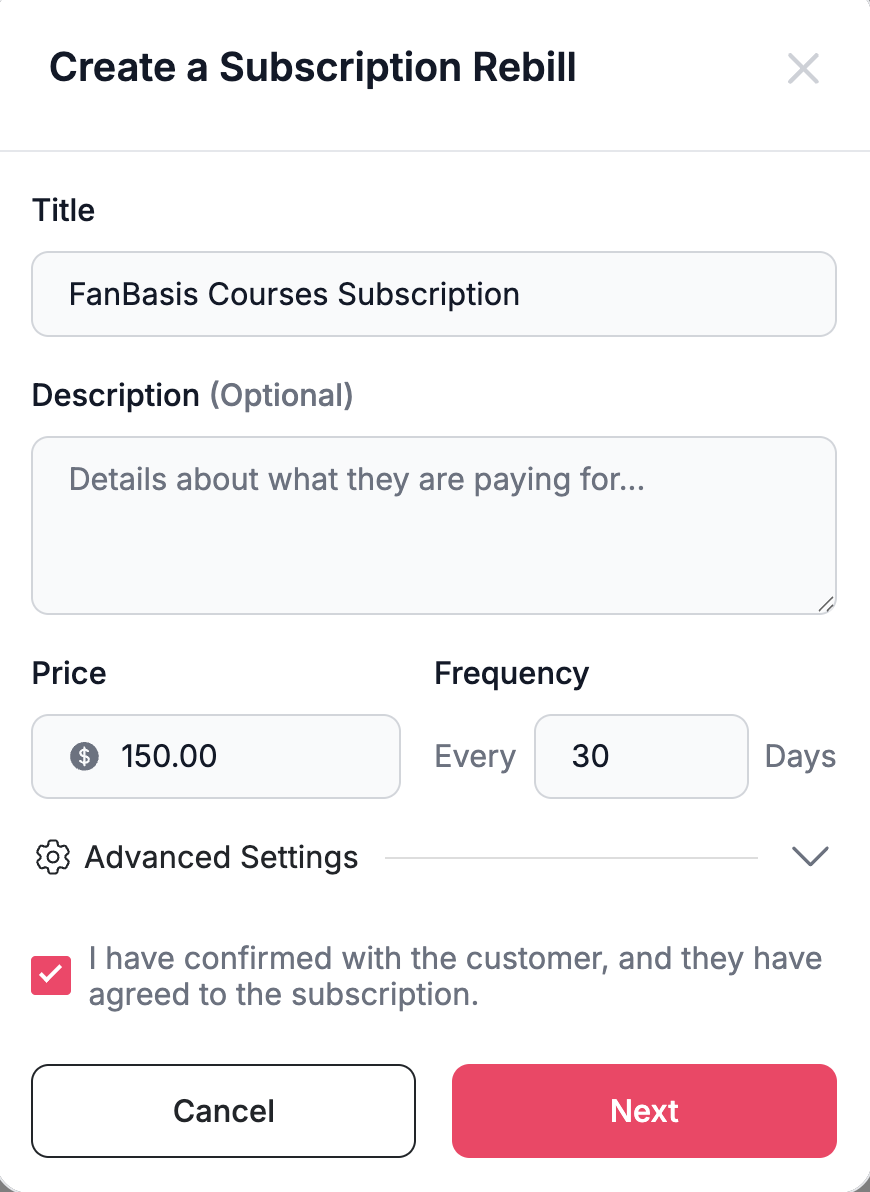
Select One-Time charge or a reoccurring Subscription
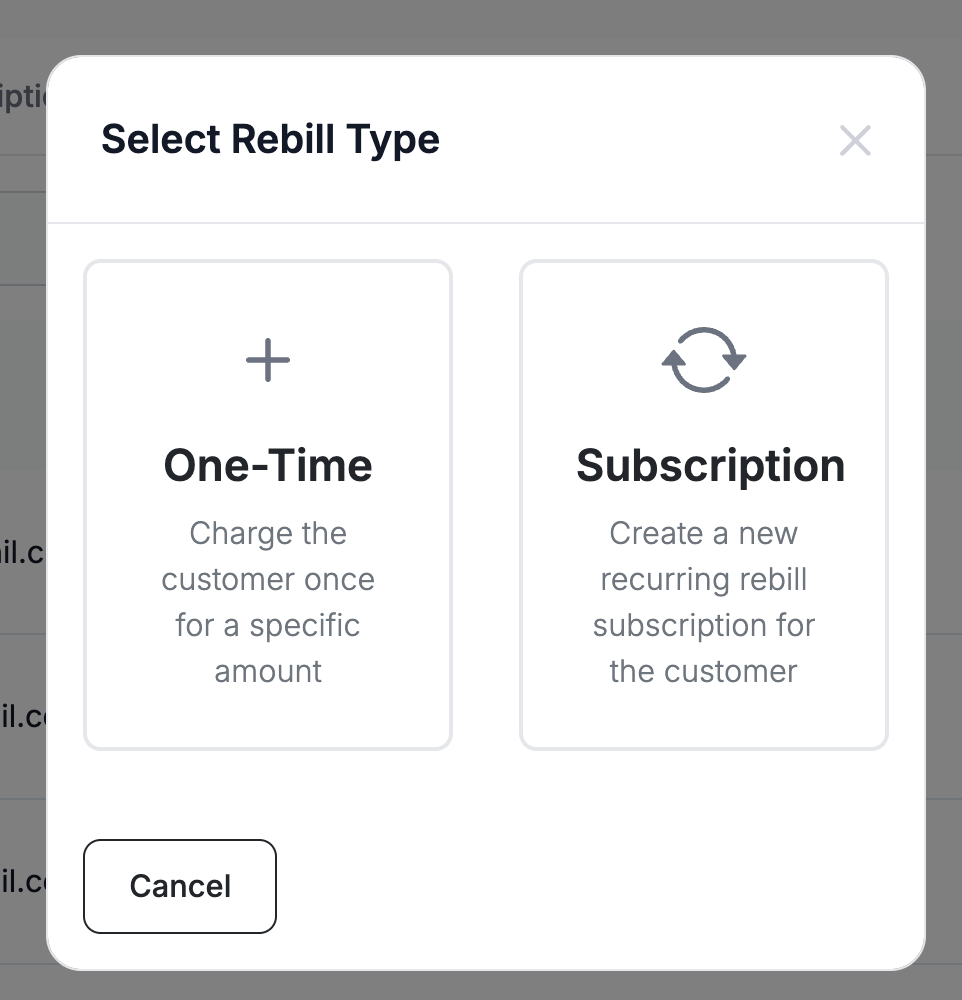
Enter the details of the one time fee or subscription and check off the agreed upon request.