Seller Withdrawal Guide
Last updated: May 13, 2026
For Approved FanBasis Sellers
This guide is only for sellers with approved accounts.
If you’re unsure about your account status, please reach out to your Account Representative before proceeding.
📥 Step 1: Log Into Your Dashboard
Go to fanbasis.com
Click “Log In” in the top-right corner.
Enter the email and password you used to sign up.
You cannot log in using the "Continue with Google" button.Once logged in, you’ll land on your Seller Dashboard.
Click the “Wallet” tab.
In the top-right, click the “Withdraw” button.
🏦 Step 2: Set Up Dots (Required for Payouts)
FanBasis uses Dots to power all seller withdrawals. You must complete setup through Dots to receive your funds. You must have available balance in order to initiate a withdrawal from FanBasis first.
✅ This is the most important step. No withdrawals can be made without a Dots account.
To Set Up Dots:
After clicking “Withdraw” in your dashboard, you’ll be redirected to the Dots setup flow.
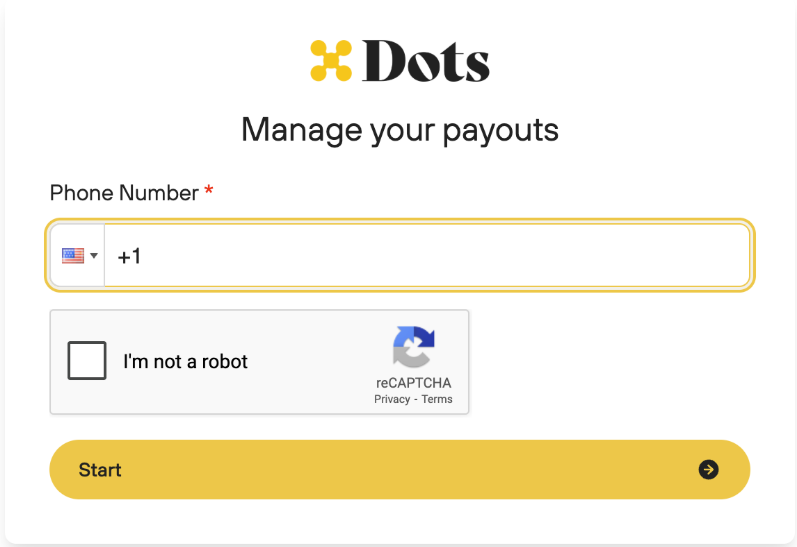
In this stage you will be asked to:
✅ Verify your phone number
✅ Enter your banking details
✅ Submit any necessary tax forms (W‑8BEN, W-8, or W-8BEN-E for international sellers)
📱 Step 3: Verify Your Phone Number
Before withdrawing funds, your phone number must be verified in your dashboard.
Click "Verify Phone Number" in your FanBasis dashboard.
In the dropdown, select your country code.
Enter your phone number (remove the leading 0, if present).
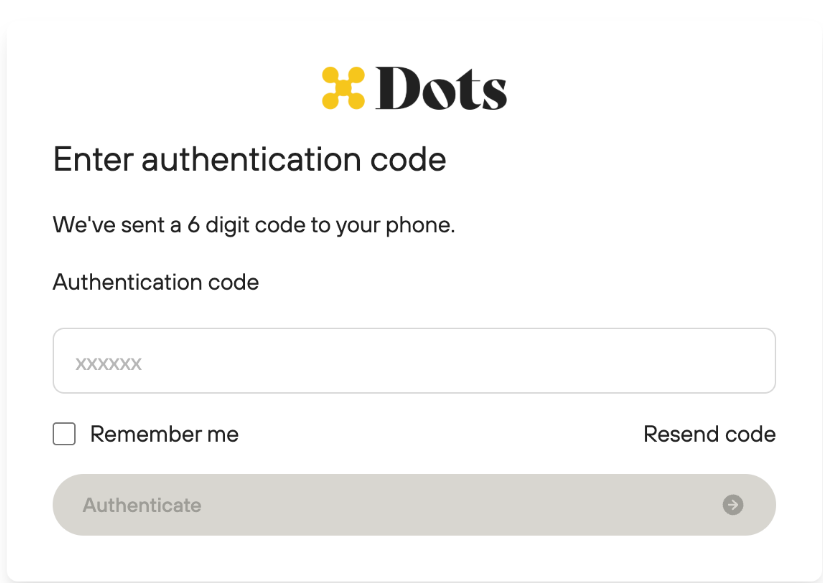
You’ll receive a text with a verification code.
Enter the code to confirm.
⚠ VOIP numbers are not supported.
Having trouble verifying your number?
Email support@fanbasis.com with:
Full Name
Email on your FanBasis account
Country Code
Phone Number
Business Name
📞 Need to change your phone number?
Contact support at support@fanbasis.com so we can initiate that change for you.
💵 Step 4: When Can I Withdraw?
After a transaction is successfully processed, funds move from Pending to Available in your wallet based on your account's settlement window. The default settlement period is 2 business days, however new accounts are placed on a tiered schedule that gradually reduces over the first 90 days:
Account Age | Pending → Available |
|---|---|
Days 1–30 | 5 business days |
Days 31–60 | 3 business days |
Days 61–90 | 2 business days |
Step 5: Make a Withdrawal via Dots
Once setup is complete and your funds are available:
Click Withdraw from your Wallet tab in FanBasis.
You'll be redirected to Dots.
Enter the amount you'd like to withdraw.
Submit the request.
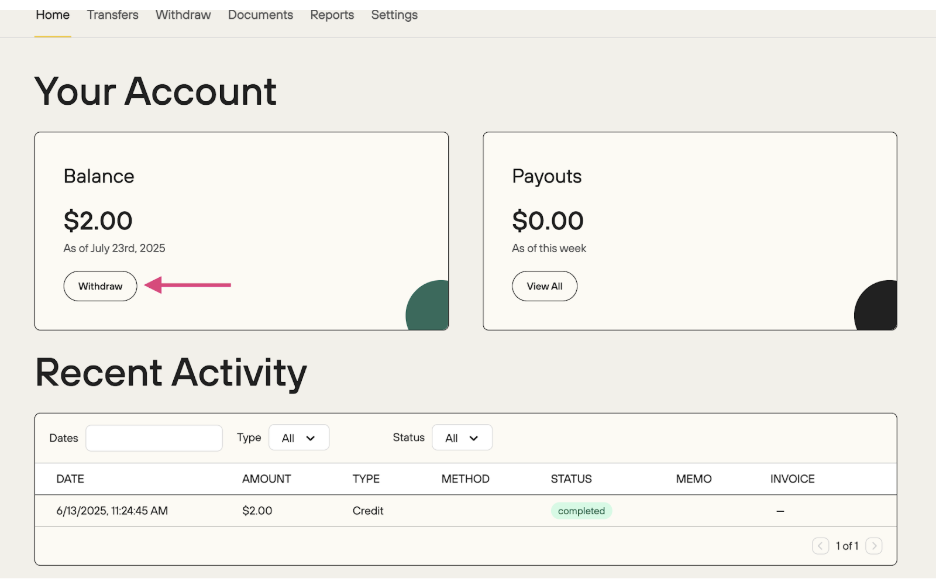
To track your withdrawal status, visit: https://my.dots.dev
💡 Withdrawals are not automatic they must be manually initiated from FanBasis. However, you can skip the step of logging into DOTS by allowing payouts from FanBasis to payout to the default payout method on file through your settings on DOTS.
💳 Withdrawal Methods & Fees
Here’s a breakdown of payout options through Dots, based on your location and preferences:
🟢 RTP (Real-Time Payments / Instant Payouts)
✅ Available for USD → US-based USD bank accounts
⚡ Instant deposit to eligible banks
💵 Flat $1 payout fee, plus 3% for RTP (Instant transfers) payouts only
📍 Check if your bank supports RTP:
View RTP Banks →
💸 ACH Bank Transfer (Accepted US Banks)
🏦 Available for most U.S. Banks
💵 Flat $1 fee per transfer
1-3 business days
💸 Wire Transfer (USD)
🏦 Available for UK-based banks and select international banks.
💵 Flat $45 fee per transfer
2-3 business days
🌍 International Bank Transfers
Available in most countries
Fee: 1.2% + $2 per payout
FX (foreign exchange) fees may apply depending on your bank
2-3 business days
🧾 Mercury or Wise Accounts
You can use Mercury or Wise as your receiving account as an international seller
Read more on Wise:
Wise Setup Guide →1-2 business days
Wise or Mercury would fall under an "ACH Bank Transfer."
💬 Need Help?
For questions about:
Dots setup or banking issues
Phone number verification
Withdrawal delays
Contact: support@fanbasis.com
or visit: https://my.dots.dev