Using the Customer Portal for Payment Management
Last updated: October 14, 2025
The Customer Portal allows your customers to view and manage their payment information, order history, and subscription details directly without needing to contact support.
How customers are able to access the Customer Portal
The payment confirmation email that is sent will give them access to the customer portal.
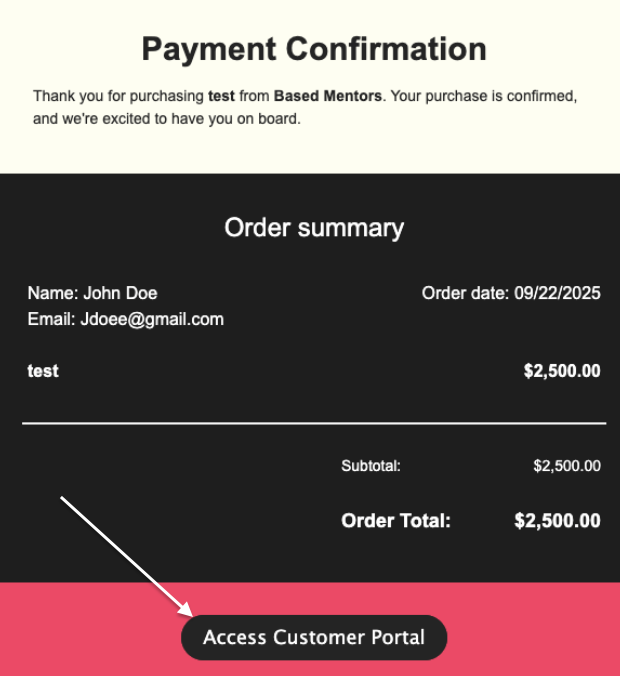
If the customer has not received the confirmation email, you can send the receipt to the customer through your dashboard in the transactions tab.
How to manually send the portal to the customer
Navigate to the customer page in your dashboard
Find the customer you are helping
You'll see a link that you can share directly with the customer that leads them to the portal
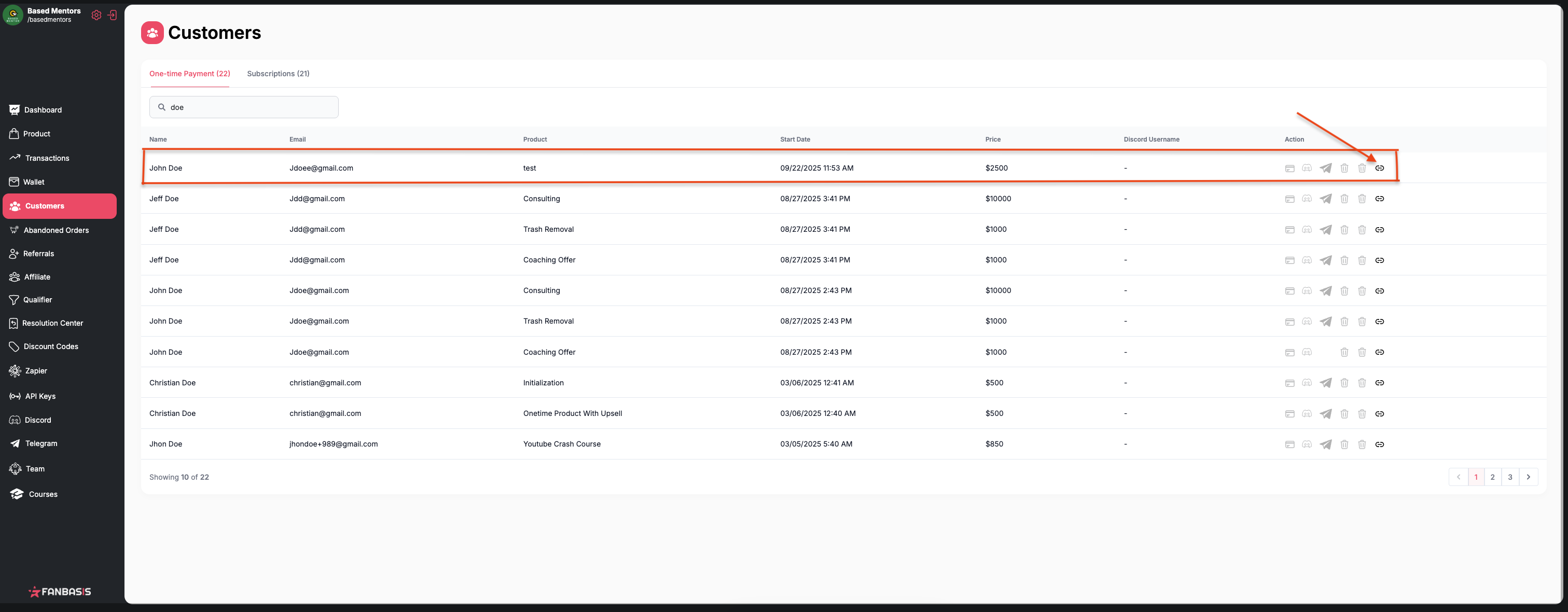
This is particularly useful when customers have questions about which payment method was used for a transaction, as they can check this information themselves through the portal.
What customers can do in the portal
Through the Customer Portal, your customers can:
View their current payment methods
Update their default payment method
Access their complete order history
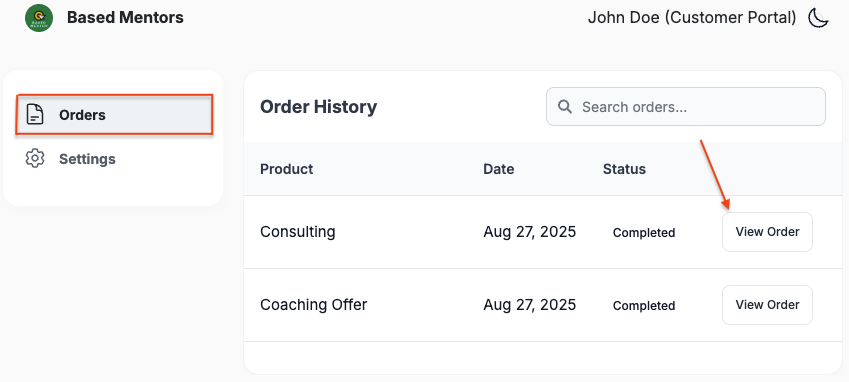
What the user will see in their orders tab.
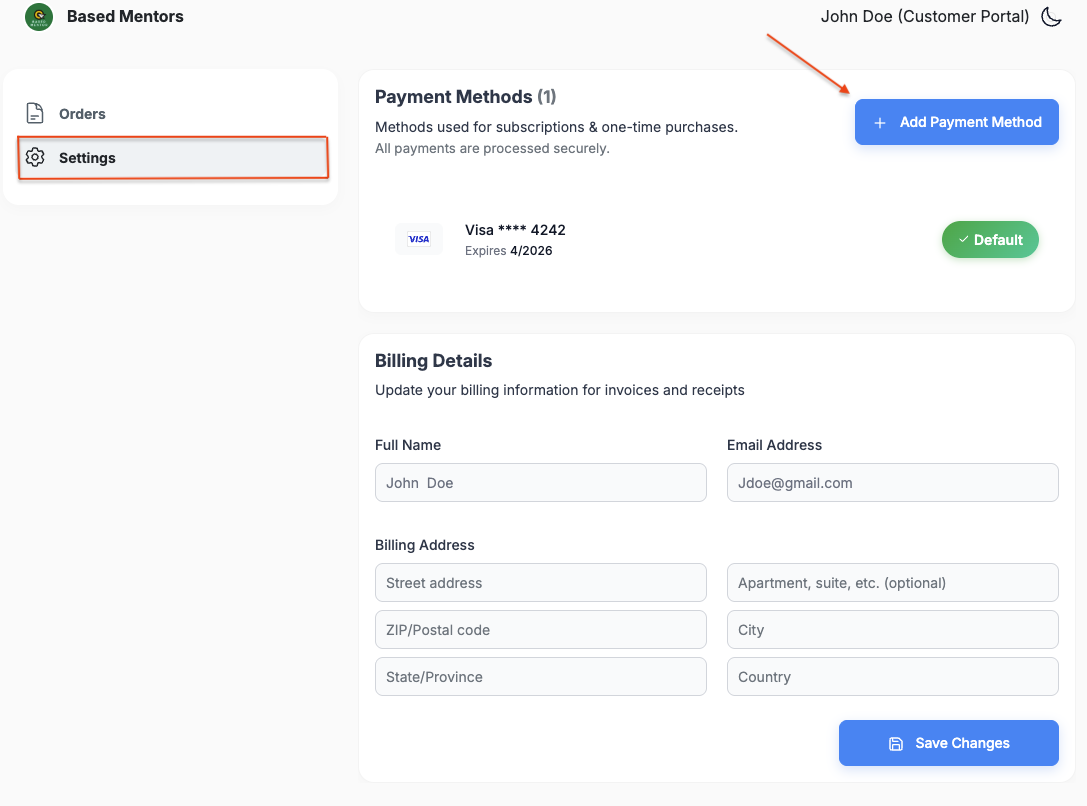
What the user will see in their settings tab.
Payment method management
Both you and your customers can manage payment methods:
Customers can update their payment methods and set a default card through the portal
When you, the seller, manually re-bill a customer, the system will charge their designated default card.
For additional support
If customers need direct assistance beyond what the portal provides, they can contact support at support@fanbasis.com.