Can customers download their own invoices or receipts?
Last updated: December 22, 2025
Currently, customers cannot log into the platform to download their invoices directly. However, sellers can send confirmation receipts to your customers manually through the transactions tab. The customer may have to check their junk/spam folder in case it did not land in their inbox.
How to send a receipt to a customer
To send a receipt to your customer:
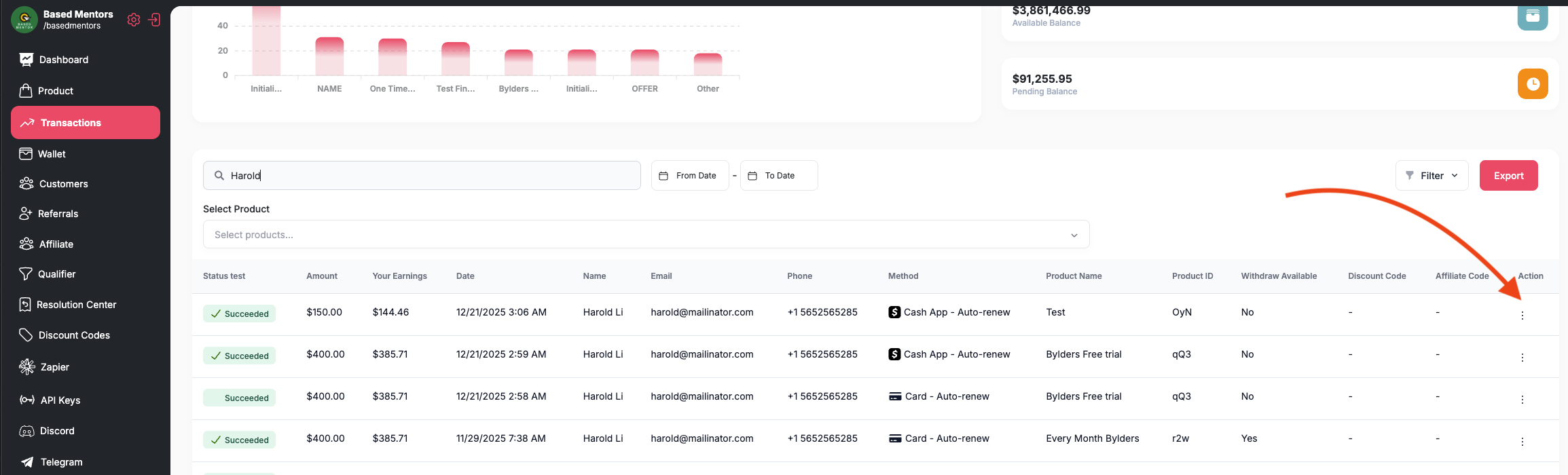
Navigate to the transactions tab
Locate the transaction you want to send a receipt for
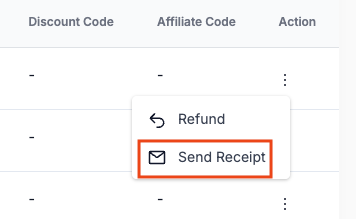
In the "Actions" column, the three dots, select the option to send a receipt
This will send the receipt directly to your customer via email. You may also send a copy to yourself or team member.
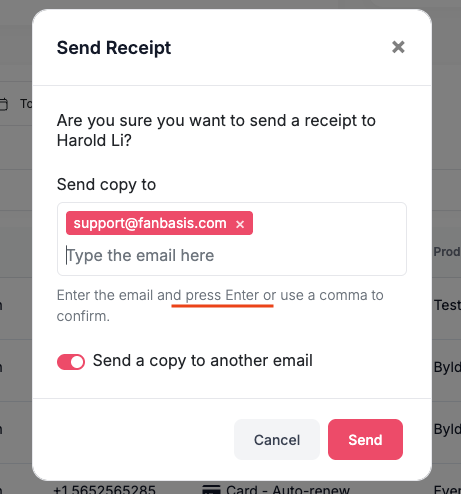
You can also choose to send the receipt to a different email. See screenshots above.