How to Process a Refund on FanBasis
Last updated: July 9, 2025
Processing refunds promptly and accurately helps maintain a smooth customer experience. Follow the steps below to issue a refund directly from your FanBasis dashboard.
Step-by-Step Guide to Issuing a Refund
Log In to Your Account
Go to FanBasis.com and log into your seller account.Open Your Dashboard
From the main navigation, click Dashboard to access your account overview.Go to Transactions
In the sidebar, click Transactions to view all recent payments.Find the Transaction
Use the search bar to locate the transaction by customer name or email.Select the Transaction
Click the three-dot menu (⋮) to the right of the transaction you want to refund.Click “Refund”
Select Refund from the dropdown. Confirm the action when prompted.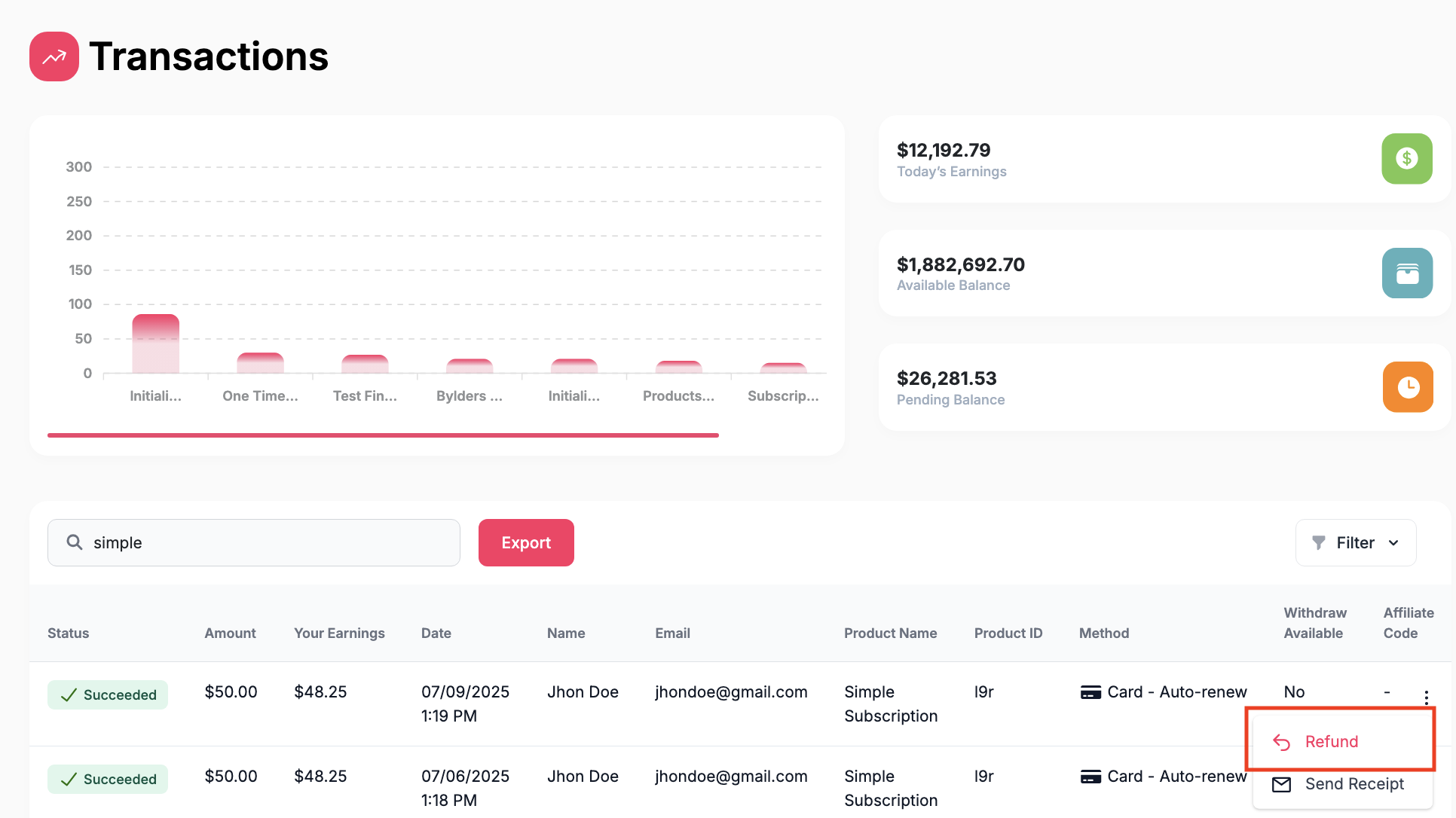
Type in the amount to be refunded and the reason.
The refund cost will take your seller earnings into consideration. You will only be debited your earnings plus any standard refund processing fees.
Select continue.
Click "Refund" to finalize and process.
Please allow 5–10 business days for the refund to process back to the customer’s original payment method.
Need Help?
If you need assistance or have questions about a specific case, contact our support team at support@fanbasis.com. We’re happy to help.