Affiliates
Last updated: August 5, 2025
Affiliates gives you the opportunity to bring people in to help sell your product and earn a commission. Once you assign them the product in your Affiliate dashboard they can share their link. Whenever someone buys through that link that the affiliate provides, they automatically get the % commission you set. They also get their own dashboard & payouts.
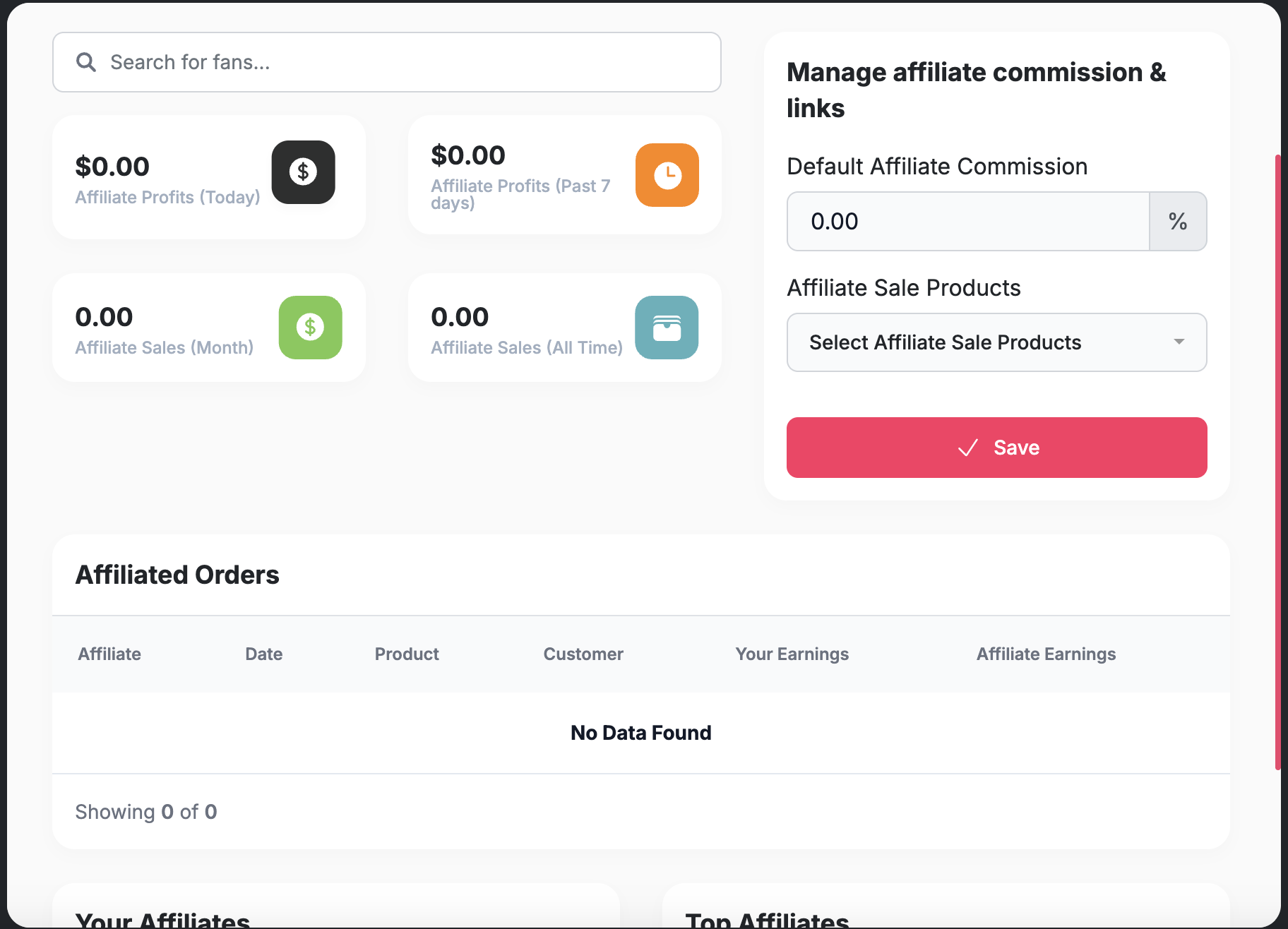
How to Create your Affiliate Link:
1. Set up commission percentages and product access
Go to the Affiliate tab in your dashboard to configure the default commission percentage (for example, 20%) and select the products you'd like to offer your affiliates. This will give them their unique checkout links for the products.
2. Generate your affiliate signup link
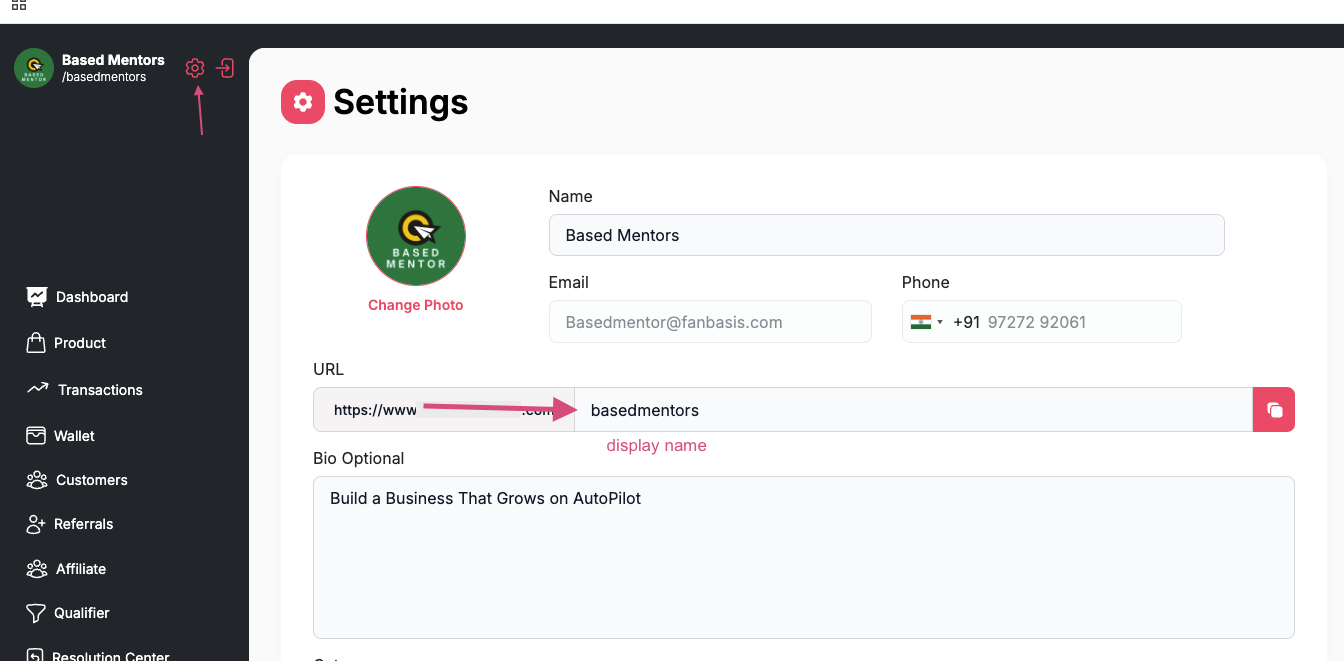
After setting up the commission and product details, generate your affiliate signup link by using the following format:
https://www.fanbasis.com/affiliate-signup/{your-handle}
Replace {your-handle} with your actual handle. e.g.
www.fanbasis.com/affiliate-signup/basedmentors
3. Send the link to your affiliates
Share the generated link with your affiliates. They’ll use it to sign up and automatically become part of your affiliate program.
4. Track affiliate performance
Once your affiliates sign up, their information will appear in your affiliate dashboard.
You can monitor sales and transactions directly from your affiliate dashboard and transaction panel on FanBasis. The system will handle payouts to the affiliate based on the percentage you’ve assigned.
The entire process is automated, so once they sign up, the system will take care of tracking and payouts for you. Just sit back and watch the sales come in!