Lead Qualifier: Turn More Leads Into Revenue With Smarter Sales Insights
Last updated: February 26, 2026
What Is Lead Qualifier?
Lead Qualifier is a sales intelligence and lead enrichment tool inside your FanBasis dashboard. It helps you quickly understand which leads are most likely to convert, afford your offer, or require financing — using only basic contact information.
Instead of treating every lead the same, Lead Qualifier gives you real financial and behavioral signals so you can prioritize the right conversations, route leads intelligently, and close faster.
This is built specifically for sellers running high-ticket offers, financing flows, or multi-closer sales teams!
What Lead Qualifier Helps You Do
With Lead Qualifier, you can:
Focus your time on high-intent, high-ability buyers
Identify leads that may need financing before you pitch
Route stronger leads to your top closers
Avoid wasting cycles on leads that are unlikely to convert
Increase close rates without increasing lead volume
Bottom line: same leads, better outcomes.
What Data Does Lead Qualifier Provide?
Once a lead is qualified, FanBasis enriches it with actionable intelligence such as:
Core Insights
Income range and purchasing power
Credit profile (soft-pull, no impact to score)
Debt-to-income (DTI) indicators
Available credit signals
Buyer readiness and responsiveness patterns
Additional Signals (Tier-Based)
Verified credit score ranges
Credit utilization and limits
Risk indicators (late payments, collections)
Pre-approval and financing eligibility signals
Lifestyle and demographic indicators (when available)
How Lead Qualifier Works (Step-by-Step)
Step 1: Leads Captured Through a Seller’s Lead Form
Leads enter your system through your existing lead capture flow (landing pages, opt-in forms, applications, etc.).
To unlock the most accurate qualification data, your lead form should collect:
First and last name
Email address
Phone number
If you plan to use financing or advanced financial insights, your form must also include a soft credit pull consent checkbox.
Step 2: Leads Recorded in the Seller’s CRM
Once submitted, leads are automatically stored in your connected CRM (e.g., Salesforce, HubSpot, Close, HighLevel, etc.).
FanBasis does not replace your CRM — it enhances it by qualifying the leads you already have.
All lead data remains owned and managed by you.
Step 3: Click the Qualifier Tab in FanBasis
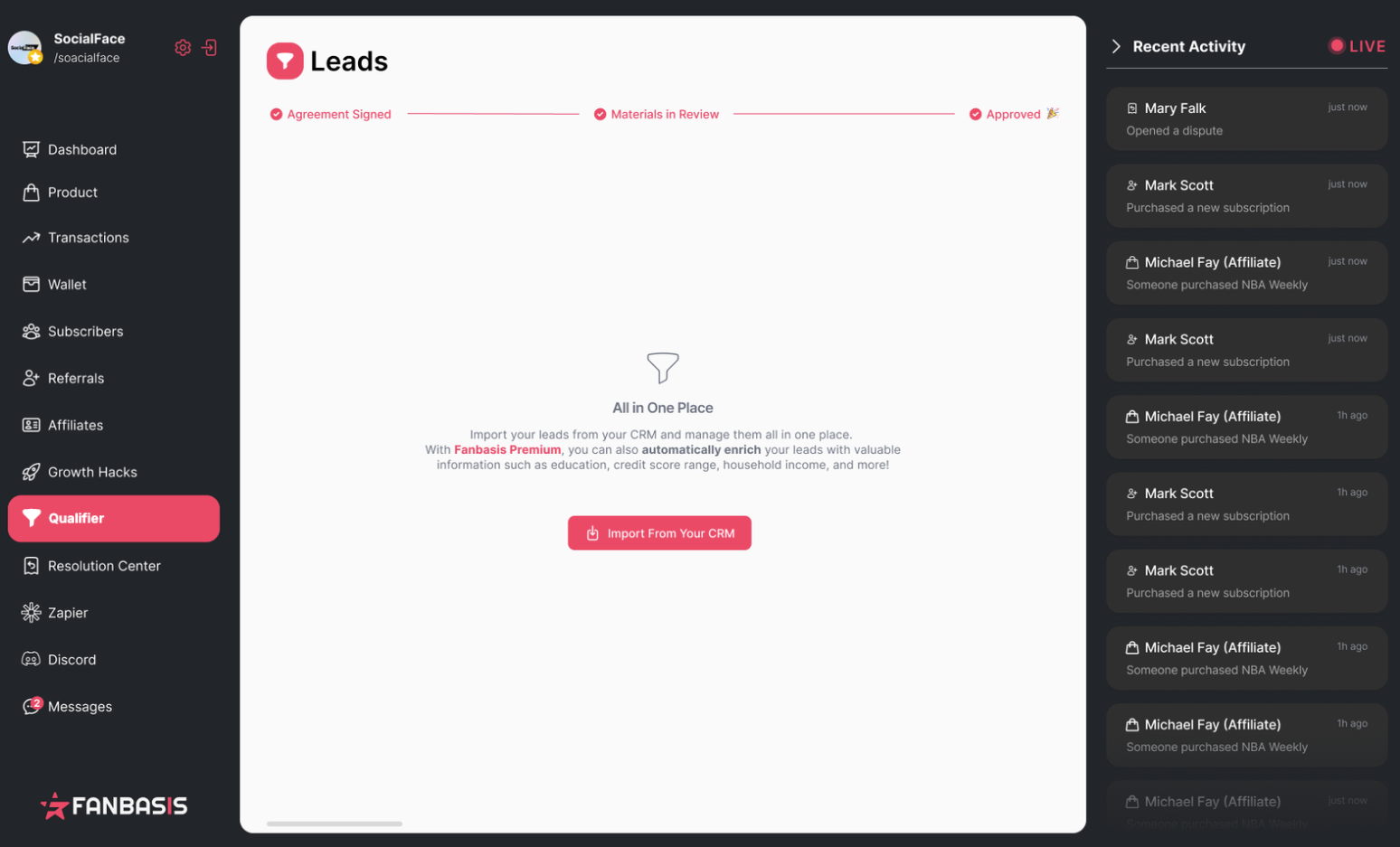
Inside your FanBasis dashboard, navigate to the Qualifier tab from the left-hand menu.
When a seller navigates to the Qualifier tab for the first time, they’ll be prompted to review and sign the Lead Qualifier Agreement.
After the agreement is signed, this is where all qualified and unqualified leads are managed and viewed.
Step 4: Seller Connects Their CRM to Lead Qualifier
If this is your first time using Lead Qualifier, connect your CRM by clicking Connect to CRM.
Once connected, FanBasis will sync your leads automatically so they’re ready to be qualified. This is a one-time setup.
Step 5: Seller Selects Lead(s) to Qualify
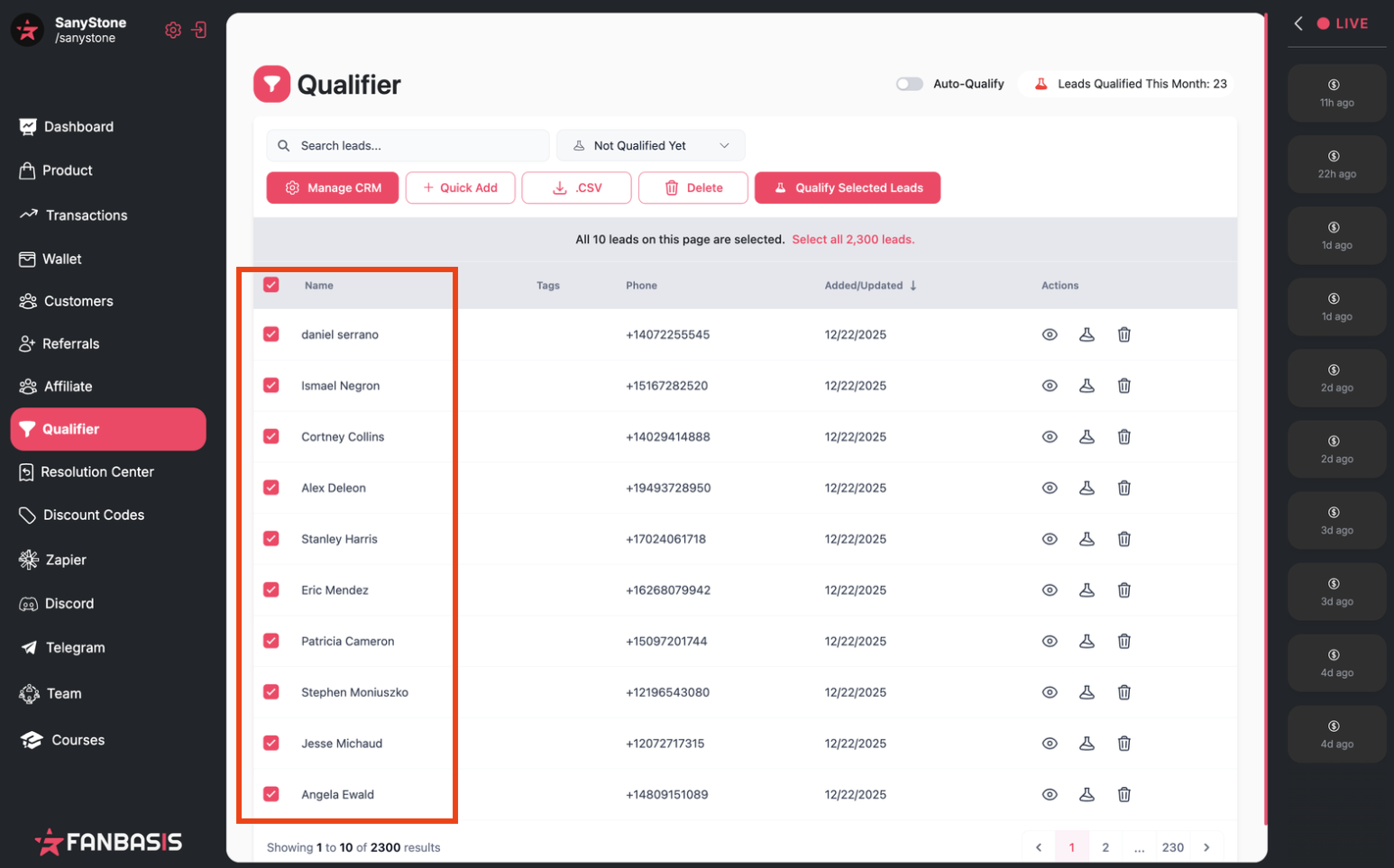
From the Qualifier screen, select:
A single lead
Multiple leads
Or your entire CRM
There are no limits on how many leads you can select at once. After selecting leads, click Qualify Leads.
This flexibility allows sellers to qualify new leads instantly or retroactively qualify older pipelines.
Step 6: Seller Clicks View (Eyeball) Icon to See Lead Details
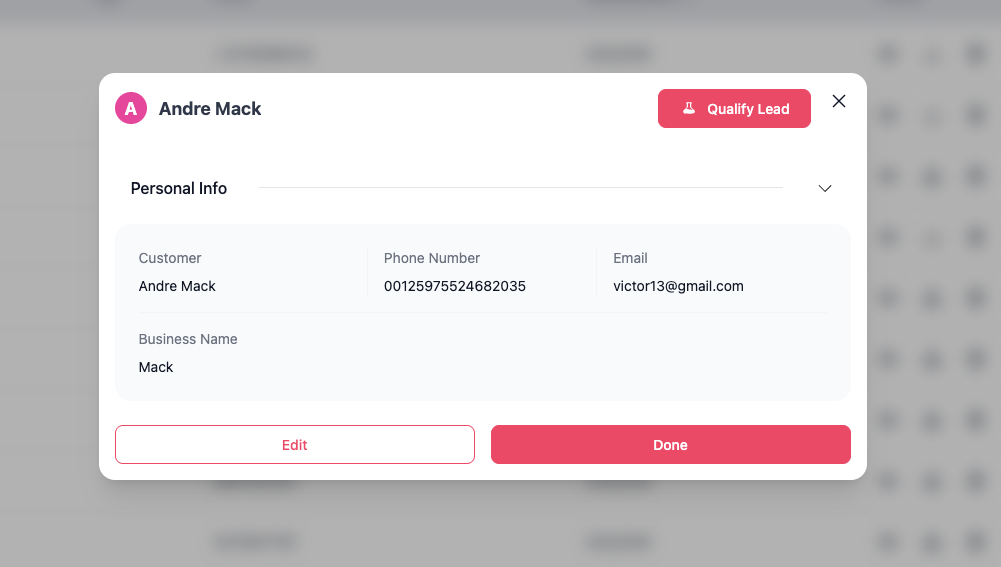
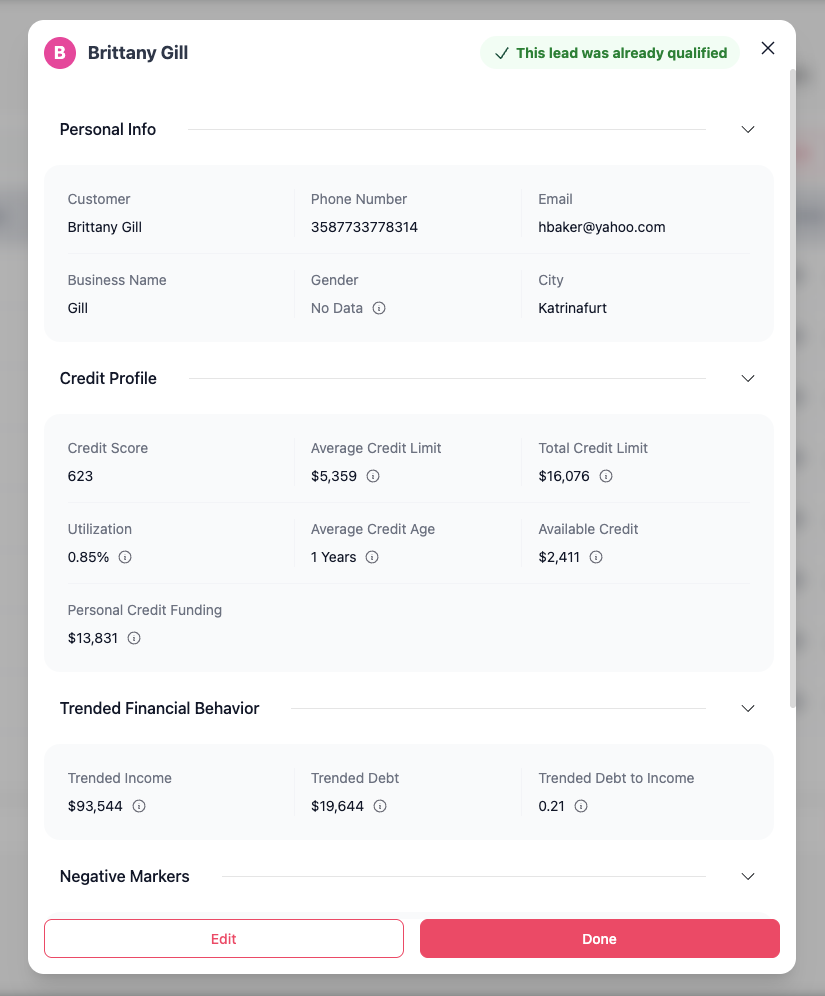
After qualification is complete, the seller clicks the view (eyeball) icon next to a lead.
This opens the enriched lead profile, where the seller can review:
Financial capacity indicators
Credit and debt signals (if applicable)
Buyer readiness insights
Risk or eligibility markers
This view is what sellers use to make routing, financing, and sales prioritization decisions.
How Lead Qualifier data can be used
You can use enriched data from the Lead Qualifier to:
Prioritize high-value leads for sales calls
Identify which customers qualify for Buy Now, Pay Later (BNPL) financing
Tailor offers for different income brackets or credit ranges
Improve your ad targeting and lookalike audiences
Increase conversion rates and reduce wasted time on unqualified leads
Improve email and call sequencing for better engagement
For best results, always ensure your leads have complete contact information before qualifying.
Missing data may result in limited or partial insights.