Using Discount Codes
Last updated: August 5, 2025
How to Create a Discount Code
To create a discount code for your products:
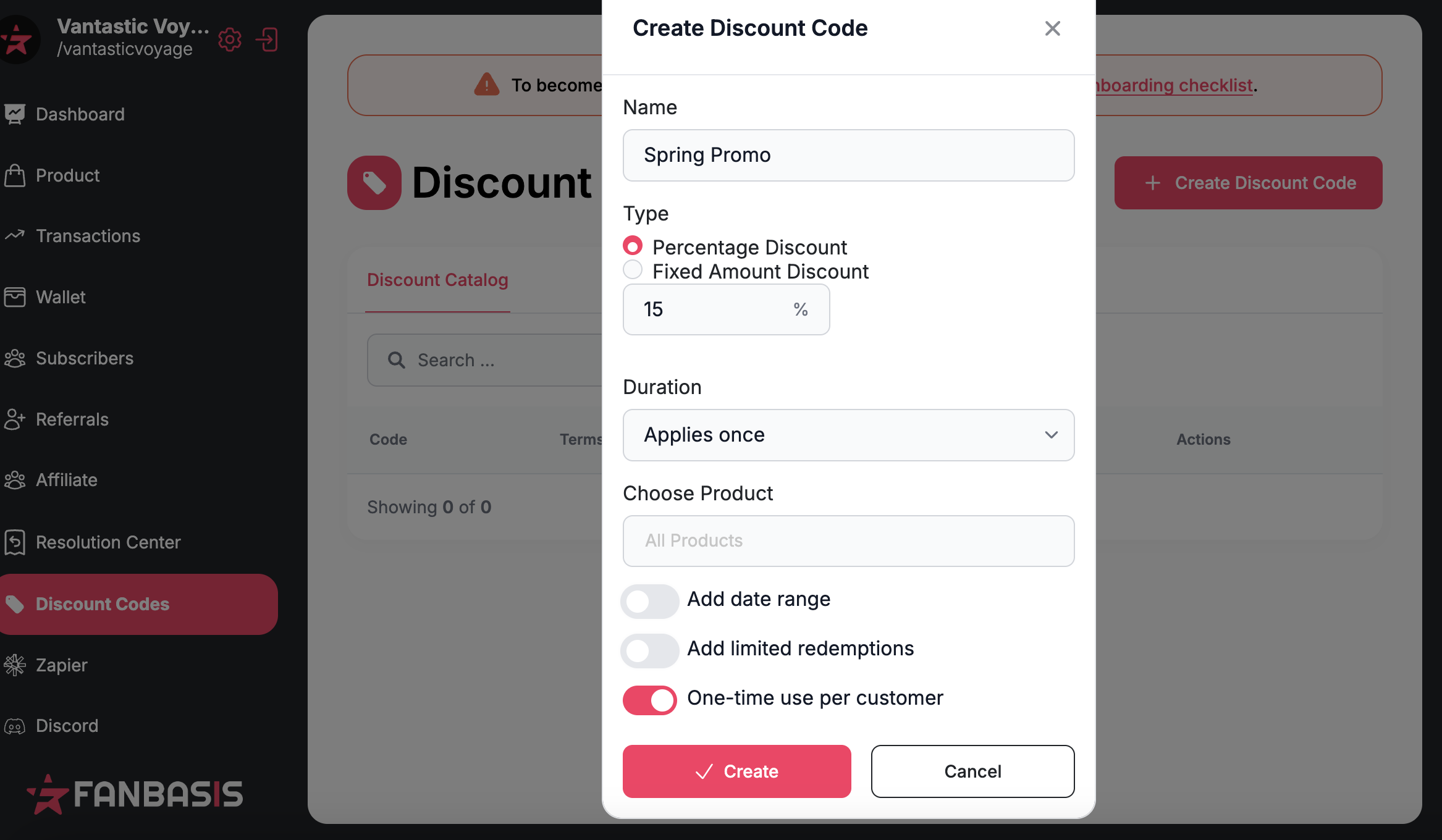
From your dashboard, click on the Discount Codes tab on the left-hand side.
Click + Create Discount Code.
Enter the discount details, including the code name, amount or percentage, and any usage limits.
Choose the duration of the discount (e.g., one-time use, limited-time offer, or ongoing).
Select the product(s) the discount applies to.
Click Save to activate the discount code.
Tip: Use clear and easy-to-remember discount codes (like SPRING20) to encourage customer use.