Recurring Subscriptions
Last updated: October 3, 2025
To set up a recurring subscription for your product or service:
Log in to your dashboard and navigate to the Product tab.
Click on Create Payment Link.
Select Subscription tab as the payment type.
Fill in the subscription details, including the product name, description, and pricing.
In the Frequency section, specify how often you want the customer to be charged (e.g., every 7 days, 30 days, etc.).
Review your settings and click Create Link to generate a subscription payment link.
Share the link with your customers or embed it on your site.
Feel free to check out this in-detail Subscriptions guide for a deeper dive!
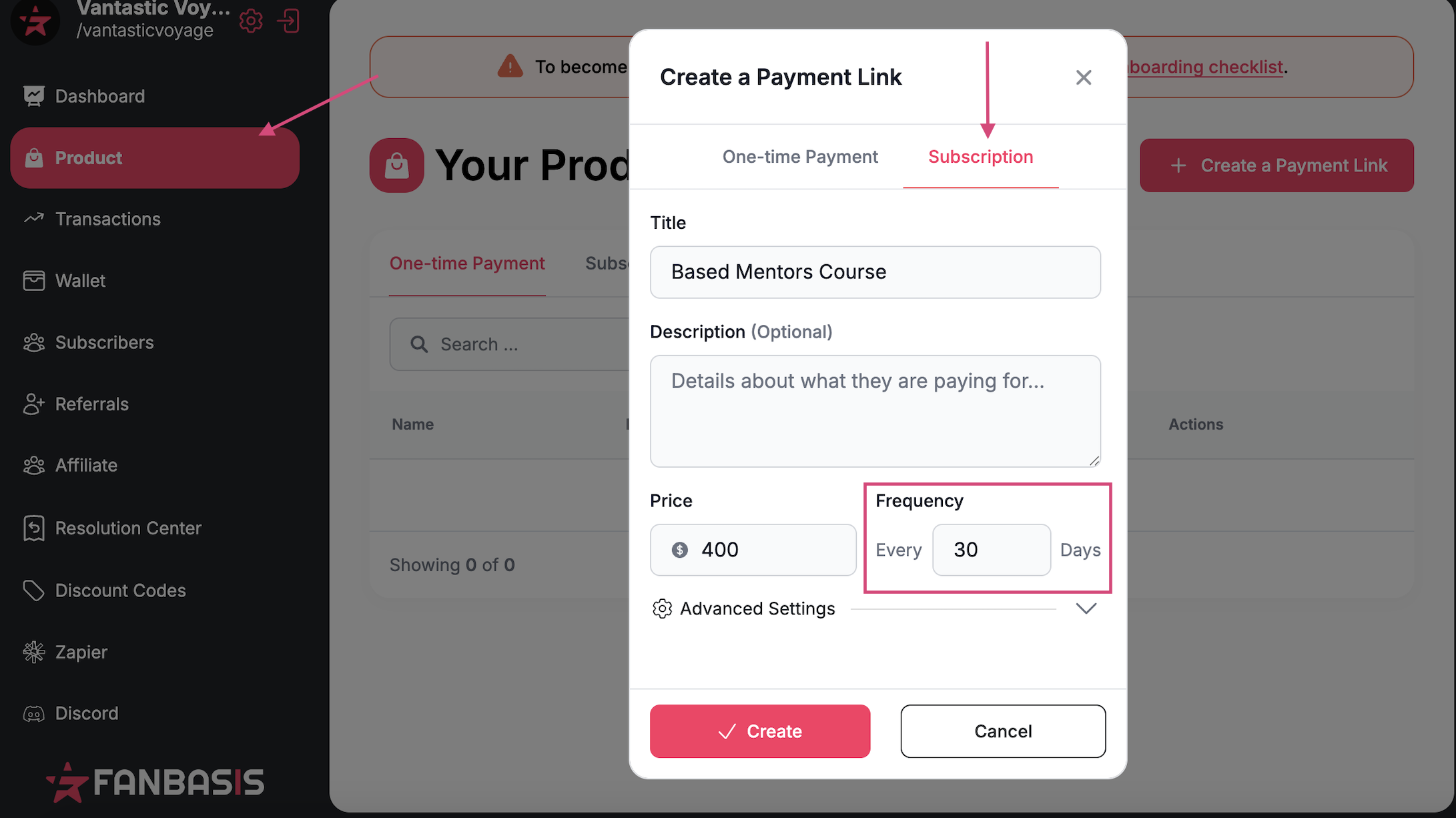
In advanced settings, you may also set an initial period for a down payment or trial period. For example, if you'd like a customer to pay $1000 down for the first month and then $400 every 30 days, in the initial period value box, you'd input 1000, and then 30 days for the setup period to charge 30 days later for $400.
"Periods" can be set for subscriptions that only last a specific amount of time. The Periods are calculated based off the number of charges that will occur after the first payment.